Annapurna Bhandar Portal Login & Registration 2026: socialsecurity.wb.gov.in Complete Guide
What You'll Learn
- Which West Bengal portal and login route applicants should use
- What the official Annapurna family-level form asks applicants to provide
- How to apply, track a record and follow up on verification issues
- Why reported payment dates and eligibility rules must be checked against official instructions
What Is the Annapurna Bhandar Portal?
Annapurna Bhandar, also called Annapurna Yojana in the official form and media reports, is a West Bengal women-focused financial assistance programme discussed in 2026. The public online workflow is connected to the state's Social Security and Social Registry infrastructure. It is not a private payment app and it is not a promise that every person who submits a form will receive money.
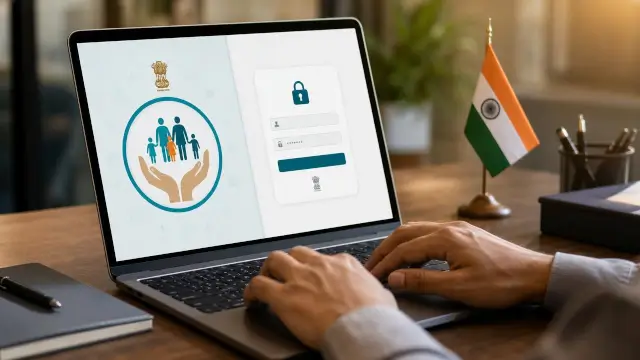
The official public portal is titled Family Level Data Collection Portal. It says citizens can check their application status and file claim grievances. It also says citizen login uses the applied mobile number and a one-time password. Department officer access is shown separately as restricted access for authorised personnel.
Keep two questions separate. The portal can record an application, show a status or accept a grievance. The department and its verification process decide whether an applicant qualifies under the current rules. Payment timing is a further step. A portal login or acknowledgement is not an approval letter.
For context on how government benefit records differ from bank routing, read our NPCI DBT link guide. It explains why a bank record and an active benefit decision are not the same thing.
Which Official Portal Should Applicants Use?
Begin with the official West Bengal route rather than an advertisement. The domain identified by the assignment and search results is socialsecurity.wb.gov.in. In the current browser check, it redirected to socialregistry.wb.gov.in, whose home page is titled Family Level Data Collection Portal.
The home page has a public Citizen or Family Login route and separate restricted officer routes. It states that a citizen can check application status and file claim grievances using the applied mobile number and OTP. The page also states that NIC designed the site and that content, data, process and operation are owned and maintained by the Finance Department, Government of West Bengal.
| Portal element | What it is for |
| Social Security domain | Entry domain named for the state social-security workflow |
| Social Registry home page | Public family-level data collection landing page after the current redirect |
| Citizen or Family Login | Applicant access using the applied mobile number and OTP |
| Officer login | Restricted access for authorised department or enquiry personnel |
Do not select Department Officer or Enquiry Officer when you are applying as a citizen. If a bookmark opens a different route, compare the domain and page ownership notice before entering any mobile number or OTP.
What the Official Family-Level Form Contains
The official PDF is titled Family Level Data Collection Form for Annapurna Yojana. Its opening instructions say each section has fields, checkbox options and instructions for the applicant and verifying officials. The same page says that filling all fields is mandatory. The PDF should be treated as a source for the data-collection process, not as a guarantee of approval.
The form begins with family identity details. It includes the head of family name, date of birth, gender, Aadhaar, Digital Ration Card household ID, number of family members, address and contact number. It also provides rows for family members with names, dates of birth, gender, relationship with the head of family and Aadhaar details.
Page two includes bank-account fields for the head of family and adult family members for cash transfer. The form asks for bank name, account number and IFSC, and identifies the Aadhaar-linked bank account as the account used for DBT credit. This is why an applicant should use bank details that are accurate and active, while remembering that a bank detail does not itself prove scheme approval.
Annapurna Bhandar Eligibility in 2026
Eligibility must be read from the current state instruction or verified notice. The official form visibly collects category, ration and food-subsidy, assets, health-insurance, income, tax, PAN, employment, literacy and family information. That breadth shows that verification is family-level and not based only on a name and mobile number.
Reports published by The Statesman on August 12, 2026 said the revised rules covered women aged 25 to 60, excluded income-tax payers and government employees, and described income, land and housing conditions. The report said families with annual earnings of ₹12 lakh or more would be outside the scheme, women earning more than ₹10,000 per month would be excluded, and a three-room rural house or more than 50 decimals of land in the named municipal-corporation areas could affect eligibility.
Those thresholds are reported guidance, not a substitute for the official application decision. The form itself asks for the underlying family facts, but the visible PDF does not turn every field into a universal decision rule. Do not infer eligibility from one field, a social-media post or a previous Lakshmir Bhandar record.
| Claim type | How to read it |
| Official form field | Evidence that the department asks for the information during family-level collection |
| Portal status | A record of the application or grievance workflow at that time |
| Media-reported threshold | Dated reporting that should be checked against the latest official instruction |
| Payment credit | A separate outcome after verification, approval and the department's payment process |
How to Register or Apply Online
Use the official applicant route and follow the current screen labels. The public home page directs citizens to a Citizen or Family Login path. Depending on the active rollout, the portal may ask you to locate an existing record, complete family data or follow a form-submission instruction. Do not assume that a citizen login screen is identical to an officer login screen.
Keep the applied mobile number available because the public portal says citizen access uses that number and OTP. Enter the number that belongs to the application record. If the OTP does not arrive, check network service and the number used in the application. Do not ask an unauthorised person to use your OTP on your behalf.
Complete the family fields carefully. The official form says all fields are mandatory and records identity, household, bank and verification information. Review spelling, dates, Aadhaar digits, account number and IFSC before submitting. Save any acknowledgement or reference number shown after a successful submission.
For broader welfare-status context, our Ayushman Bharat PM-JAY guide also separates application or eligibility records from service use. Apply the same discipline here.
How to Download and Fill the Form
The official form PDF is hosted under the Social Security West Bengal domain at this Annapurna Yojana form link. The browser-rendered document has 11 pages and is marked for applicants and verifying officials. Use the form from the government domain rather than a file reposted by a social-media account.
Read the instruction column beside each section. The form covers the head of family, all listed members, household identity, bank accounts, ration status, assets, insurance, income, profession, tax, PAN and literacy. It provides checkboxes and spaces for supporting information. The opening instruction says all fields are mandatory, so leave a field blank only when the official instruction tells you how to mark it.
Before signing or uploading, compare the bank account and IFSC with the passbook or official bank record. If the form asks for an Aadhaar-linked account for DBT credit, use the account intended for the benefit route. When a field is unclear, ask the designated local office or verifying official rather than guessing.
| Form section | Examples of information requested |
| Family identity | Head of family, Aadhaar, household ID, address and contact details |
| Family members | Name, date of birth, gender, relationship and Aadhaar details |
| Bank and DBT | Bank name, account number, IFSC and Aadhaar-linked DBT account |
| Verification profile | Ration, assets, insurance, income, profession, tax, PAN and literacy details |
How to Apply Through an Offline Office or Camp
An online login is not the only route described in the reporting and form workflow. LiveMint's June 11, 2026 guide reported online and offline application routes, form handling and status follow-up. The official form is designed for applicant and verifying-official use, so an applicant may be directed to a local block, municipal or panchayat channel when the current programme instructions require local verification.
Take the completed form and the documents requested by the responsible office. Ask the receiving official to check whether the form is complete and request an acknowledgement or reference. Keep a copy of what you submitted. If officials are collecting forms at a local camp or through household visits, verify their identity through the local administration before sharing sensitive information.
Do not treat a newspaper article as a replacement for a local notice. Local offices may publish their own dates, venue details and document instructions. If an online form is unavailable or the citizen page remains blank, the responsible block, municipality or panchayat office is the safer place to ask about the active route.
How to Check Annapurna Bhandar Application Status
The official public portal says citizens can check their application status and file claim grievances. Use the Citizen or Family Login route and the applied mobile number with OTP. If the service presents a status or reference field, enter the acknowledgement details exactly as issued. Take a screenshot only after masking Aadhaar and account numbers.
Status words can describe different stages. Submitted means the record reached the system. Under verification means officials still need to check information. Deficiency or rejected means you need the exact reason and an approved correction path. Approved or eligible is not the same as money already credited. The portal's current wording should control the interpretation.
If the login route does not show an application, compare the mobile number used in the form with the number being entered now. Then check the acknowledgement, local office record or grievance route. Do not create duplicate applications merely because a page is slow or temporarily unavailable.
For a separate document and beneficiary-list workflow, see our PM Kisan beneficiary-list guide. A list check for another scheme cannot confirm an Annapurna record.
August 17 Payment Update and Verification Caveat
Two August 2026 media reports described payment timing for verified Annapurna beneficiaries. The Times of India report published August 6 said the Chief Minister announced ₹3,000 monthly payments for eligible women would begin reaching accounts from August 17 and that later payments were expected in the second week of the month. The Statesman report published August 12 similarly said only verified women would receive the amount from August 17.
These reports are dated secondary evidence. They do not prove that every applicant received a credit on that date. Both reports described scrutiny or verification, and the Statesman report said the revised rules applied to eligibility. The official portal and responsible department remain the correct sources for a person's application result, payment status and current schedule.
Use the date as a reported update, not a guarantee. If a verified applicant does not see a credit, check the portal status, the Aadhaar-linked bank account and the official grievance route. Bank processing time, verification outcome and scheme payment instructions can affect what appears in an account.
Why an Application May Stay Pending or Be Rejected
A pending record can mean that officials are checking family identity, household information, bank data, eligibility fields or supporting documents. The official form contains many categories of family information, so an application can require more than a mobile-number match. Ask for the exact status or deficiency instead of relying on a general rejection message.
Common follow-up areas include a name mismatch, incorrect date of birth, incomplete family rows, wrong Aadhaar or household ID, an account or IFSC error, unclear category or ration information, missing support for income or employment details and a bank account that cannot receive the intended transfer. These are practical checks, not official rejection codes.
| Observed problem | Safe next step |
| OTP or login problem | Use the applied mobile number and contact the portal or local office through an official route |
| Missing application | Check the acknowledgement and ask the receiving office to confirm the record |
| Bank detail mismatch | Compare the account and IFSC with the official bank record and follow the correction route |
| Pending verification | Wait for the stated process or ask the responsible office which document or field needs review |
Never invent an error-code meaning from a social-media post. Record the exact message, date and application reference. This makes it easier for the responsible team to identify the stage that needs correction.
Documents, Privacy and Scam Checks
The official form shows the information categories that may be requested, but a local office or current notice may specify which supporting documents must accompany a particular submission. Keep identity, residence, household, bank and family records available in the form requested by the official channel. Do not upload more documents than the legitimate process requires.
Check the domain before entering a mobile number, Aadhaar, account number or OTP. The current public portal page identifies NIC and the Finance Department, Government of West Bengal. A private website that promises instant approval, asks for a fee or requests a password is not made trustworthy by using the scheme name.
Do not share an OTP with a caller claiming to activate the benefit. Do not install remote-control software for a portal correction. Redact personal numbers before posting a screenshot in a public group. If a form is submitted offline, retain the acknowledgement and the office name for follow-up.
For another government-benefit document workflow, review our Ayushman hospital-list guide. It follows the same rule of checking the official service instead of treating an explainer as a live eligibility record.
Final Checklist and Important Limitations
Before submitting, confirm that you are on the official West Bengal route, using the citizen path rather than an officer path. Confirm the applied mobile number, family identity, Aadhaar and household details. Check every bank name, account number and IFSC field against the official bank record. Save the acknowledgement or reference if the system provides one.
After submission, use the citizen status route, preserve the exact status message and follow the official grievance or local-office path for a correction. If a payment date is mentioned in a media report, compare it with the latest official instruction and your verified status. Do not infer approval from login access, a completed form or a bank statement alone.
The most important limitation is that the official form and public portal establish a collection and verification workflow, while current eligibility, approval and payment decisions remain with the responsible West Bengal authorities. The August 17 timing and ₹3,000 amount are included here as dated media-reported updates, not as a universal payment promise. For related state-scheme explainers, see our Yuva Sathi guide and Jubo Sathi guide, but use each scheme's own official record for confirmation.
Bottom line: Use the official Social Security or Social Registry route, complete the family-level information carefully, retain proof of submission and treat status, eligibility and payment as separate decisions. Dated reports can explain an update, but only the current government workflow can confirm an individual Annapurna record.
Frequently Asked Questions

SK Jabedul Haque
Building India's most trusted finance education platform — simplifying news, schemes and market trends so anyone can understand and invest confidently.
Read full bio


Never miss an update
Get our clearest explainers on schemes, markets and money — read what matters, without the noise.
Explore more articles