Annapurna Bhandar Online Apply 2026: Complete Step-by-Step Portal Guide with Documents & Status Check
What You'll Learn
- Exact step-by-step online application process at socialsecurity.wb.gov.in with OTP verification
- Complete documents checklist - Aadhaar, Voter ID, Ration Card, Bank Passbook, and 10+ supporting documents
- Eligibility rules including exclusions for taxpayers, government employees, 4-wheeler owners, and 3+ pucca rooms
- How to track application status, update bank account via NPCI BASE, and avoid common rejection mistakes
- Offline application alternatives at BDO, SDO, Municipality offices and Janakalyan Shibir camps
Annapurna Bhandar Online Apply: Portal Overview
The Annapurna Bhandar online apply process is the primary gateway for West Bengal women to receive ₹3,000 monthly financial assistance under the Annapurna Yojana. Launched on June 1, 2026 by Chief Minister Suvendu Adhikari, the scheme replaced the earlier Lakshmir Bhandar programme and promises Direct Benefit Transfer of ₹36,000 per year into Aadhaar-linked bank accounts of eligible women aged 25 to 60.
The official portal at socialsecurity.wb.gov.in went live with application forms on May 27, 2026, and the 90-day enrolment window runs from June 1 to August 25, 2026. Chief Minister Adhikari confirmed that as and when forms are filled up, ₹3,000 will start getting credited into beneficiaries' accounts - the faster you complete registration, the faster you receive benefits.
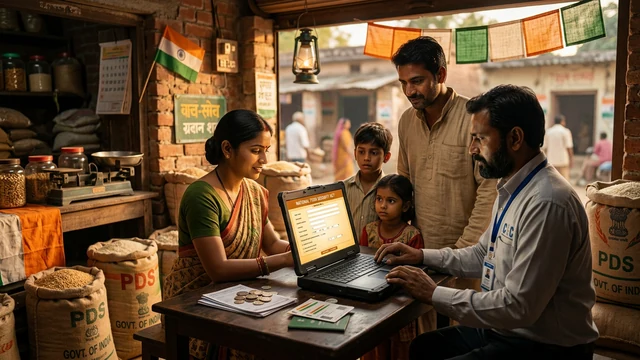
The Department of Women & Child Development and Social Welfare manages the scheme, and the portal supports both online and offline application modes. For women in rural areas or those unfamiliar with digital processes, physical forms are available at BDO offices, SDO offices, and Municipality counters across the state.
Eligibility Quick Check Before You Apply
Before starting the Annapurna Bhandar online apply process, verify that you meet every eligibility criterion. The West Bengal government has strict rules, and applications that fail eligibility checks are rejected without refund of any application effort.
| Criteria | Requirement |
|---|---|
| Gender | Female applicant only |
| Age | 25 to 60 years (both inclusive) |
| Domicile | Permanent resident of West Bengal, Indian citizen |
| Employment | Not a government employee, pensioner, or government-aided school staff |
| Tax Status | Not an income tax payer |
| GST | Not GST registered |
| Property | Must not own 3 or more pucca rooms |
| Vehicle | Must not own a 4-wheeler |
| Constitutional Post | Must not hold any constitutional post |
Auto-migration note: Existing Lakshmir Bhandar beneficiaries will be automatically migrated to the Annapurna Yojana system. However, individuals who are deceased, have shifted out of state, or were deleted during the SIR-2026 database cleaning process will be excluded from automatic migration and must apply fresh.
Documents Checklist - Self-Attested Copies Required
Keep all Annapurna Bhandar documents ready before you begin the online application. The portal requires scanned copies, and physical submissions need self-attested photocopies. Missing or unclear documents are the number one reason for application delays.
| Document | Status | Notes |
|---|---|---|
| Aadhaar Card | MANDATORY | Must be linked/seeded with bank account |
| Voter ID (EPIC) | Required | Identity proof |
| Digital Ration Card | Required | AAY / PHH / SPHH / RKSY categories |
| Bank Passbook | Required | Name, Account No., IFSC clearly visible |
| Income Certificate / PAN Card | If applicable | For income verification |
| Caste Certificate | SC/ST/OBC | For social category logging |
| Passport-size Photos | Required | Recent photographs |
| Residence Proof | Required | WB domicile verification |
| Land Documents | If applicable | If you own agricultural or residential land |
| Vehicle Registration | If applicable | Disclosure for 4-wheeler ownership check |
| Health Insurance Policy | If applicable | For asset declaration |
| Vaccination Cards | If applicable | Children's vaccination records |
| Pension Slip | If applicable | If receiving any pension |
| GSTIN Certificate | If applicable | For GST registration disclosure |
Critical point: Your Aadhaar card must be linked to your bank account. Without Aadhaar-bank seeding, the DBT transfer will fail and your application may be rejected. If your Aadhaar is not yet linked, complete the NPCI BASE Aadhaar seeding process before applying.
Online Application Step-by-Step Process
The Annapurna Bhandar online apply process at socialsecurity.wb.gov.in follows a structured 7-step flow. The portal is designed to be mobile-friendly, so you can complete the entire application from your smartphone without visiting any government office.
Step 1: Visit the Official Portal
Open your browser and navigate to socialsecurity.wb.gov.in/login. The portal is the single official gateway for all Annapurna Yojana applications. Do not use any third-party websites claiming to facilitate registration - only the government portal is valid.
Step 2: Click "Apply Online" or "New Registration"
On the homepage, look for the "Apply Online" or "New Registration" button. First-time applicants must select the new registration option. Existing Lakshmir Bhandar beneficiaries who are auto-migrated may see their details pre-filled and can skip directly to verification.
Step 3: Mobile Number Verification via OTP
Enter your active mobile number - this must be the number linked to your Aadhaar card. The portal sends a One-Time Password (OTP) to your phone. Enter the OTP within the validity window to proceed. If you do not receive the OTP, check that your mobile number is active and has network coverage, then retry.
Step 4: Fill the Application Form
The form has multiple sections covering Head of Family (HOF) details, bank account information, and household property declarations. Fill every field accurately - name must match your Aadhaar card exactly, bank account number and IFSC code must be correct, and all asset disclosures (house, land, vehicle) must be truthful. The form is available in English, Bengali, and Hindi.
Step 5: Upload Required Documents
Upload clear, legible scanned copies of your Aadhaar Card, Voter ID, Bank Passbook (showing name, account number, and IFSC), and passport-size photograph. Ensure file sizes are within the portal's limits and that all text on the documents is readable. Blurry or cropped uploads are a common rejection reason.
Step 6: Preview and Submit
Before final submission, preview every field. Check that your name, date of birth, Aadhaar number, and bank details are exactly correct. Once you click Submit, you will receive an Application Reference ID - note this down immediately. You will need this ID to track your application status.
Step 7: Track Your Application
Return to the portal and click "Track Application Status." Enter your Application Reference ID or Aadhaar number to see the current status - whether your application is pending verification, under review, approved, or requires additional documents. Status updates appear in real time as BDOs and SDOs process your application.
Offline Application for Rural and Non-Tech Users
If you are unable to complete the Annapurna Bhandar online apply process due to internet issues, lack of a smartphone, or unfamiliarity with digital forms, the West Bengal government provides a fully functional offline pathway.
Where to Collect the Form
- Rural areas: BDO (Block Development Officer) office
- Urban areas: SDO (Sub-Divisional Officer) or Municipality office
- Special camps: Janakalyan Shibir on June 15-17, 2026
- Digital download: Available at socialsecurity.wb.gov.in
How to Submit Offline
Collect the physical form, fill it in English, Bengali, or Hindi, attach self-attested copies of all required documents, and submit directly at the counter. You will receive an acknowledgement slip - keep this safe as proof of submission. The offline process follows the same verification and approval timeline as online applications.
Verification Process - How Your Application Gets Approved
Every Annapurna Bhandar application - whether submitted online or offline - undergoes a multi-stage verification process before final approval and DBT credit.
Stage 1: Ground Verification
BDOs in rural areas and SDOs in urban areas conduct physical ground checks to verify the applicant's residence, family details, and asset declarations. The verified reports are uploaded directly to the official portal.
Stage 2: Final Sanctioning
The District Magistrate (for districts) or the Kolkata Municipal Corporation Commissioner (for Kolkata) serves as the final sanctioning authority. Once approved, the beneficiary's details are added to the DBT payout list, and ₹3,000 is credited to the Aadhaar-linked bank account in the next disbursement cycle.
Voter List Verification
According to reports from Sangbad Pratidin and CNN News18, the West Bengal government has made voter list verification mandatory for women seeking benefits under the Annapurna Bhandar scheme. This means your name must appear in the electoral roll of your constituency for the application to proceed past the ground verification stage.
Bank Account Update via NPCI BASE Portal
The Annapurna Bhandar scheme uses Direct Benefit Transfer (DBT) to credit ₹3,000 monthly into your Aadhaar-linked bank account. If your Aadhaar is not yet seeded with your bank, or if you need to update your bank account details, the NPCI Bharat Aadhaar Seeding Enabler (BASE) portal handles this process.
How to Check Aadhaar Mapped Status
Visit the NPCI BASE portal and click "Aadhaar Mapped Status." Enter your Aadhaar number and the captcha to see which bank account is currently linked for DBT. If the linked account is correct and active, no action is needed.
How to Update Bank Account
If you need to change or add a bank account, use the "Aadhaar Seeding/Deseeding" option on the NPCI BASE portal. Three options are available:
- Fresh Seeding: Link a new bank account for the first time
- Same Bank, Different Account: Switch to another account in the same bank
- Different Bank: Move DBT to an entirely different bank
After updating, wait 48-72 hours for the NPCI system to sync before submitting your Annapurna Bhandar application. Applying with an unseeded or incorrectly seeded Aadhaar will result in DBT transfer failure.
Common Mistakes to Avoid During Application
Based on reports from The Telegraph India, Mathrubhumi, and user discussions on Reddit, these are the most frequent reasons applications get delayed or rejected:
| Mistake | Impact | Fix |
|---|---|---|
| Aadhaar not linked to bank | DBT transfer fails | Complete NPCI BASE seeding first |
| Name mismatch across documents | Verification fails | Ensure Aadhaar, Voter ID, Passbook names match exactly |
| Wrong PIN code or address | Ground verification fails | Cross-check address with Aadhaar before submitting |
| Incorrect income details | Eligibility rejection | Fill income honestly - mismatches trigger audits |
| Hiding assets (land, vehicle) | Penalty + rejection | Disclose all assets truthfully - verification catches discrepancies |
| Missing signature/thumb impression | Form considered incomplete | Sign or provide thumb impression on every required page |
| Uploading blurry documents | Verification delayed | Use good lighting, ensure all text is readable |
| Using third-party websites | Fraud risk | Only use socialsecurity.wb.gov.in |
Reddit users on r/kolkata noted that the 12-page form is extremely detailed - it asks for family income, bank details, house rooms, land ownership, vehicle details, health insurance, and vaccination records. Taking time to fill each section carefully is far faster than reapplying after rejection.
Application Timeline and Key Dates
| Event | Date |
|---|---|
| Application forms released | May 27, 2026 |
| Scheme officially launched | June 1, 2026 |
| 90-day enrolment window opens | June 1, 2026 |
| Janakalyan Shibir camps | June 15-17, 2026 |
| 90-day enrolment window closes | August 25, 2026 |
| DBT credits begin | As applications are verified and approved |
Chief Minister Adhikari emphasized that DBT credits will begin as soon as applications are verified - there is no fixed disbursement date. The sooner you apply and complete verification, the sooner ₹3,000 monthly will start crediting to your account.
Conclusion
The Annapurna Bhandar online apply process at socialsecurity.wb.gov.in is straightforward but demands accuracy. Every document must be clear, every detail must match your Aadhaar, and your bank account must be NPCI-seeded for DBT to work. The 90-day window from June 1 to August 25, 2026 gives ample time, but early applicants receive DBT credits sooner. For those unable to apply online, BDO and SDO offices across West Bengal provide full offline support, and the Janakalyan Shibir camps on June 15-17 offer assisted registration. The scheme promises ₹36,000 per year in direct financial support - take the time to get the application right the first time.
August 2026 update: since this guide was published, the Annapurna Bhandar scheme has completed three monthly payment cycles - the first ₹3,000 credits arrived in the first week of June, as The Indian Express and Livemint confirmed, and August-cycle payments were processed in the first 10 days of the month. The June-July experience confirmed what this article warned about: the vast majority of missed payments traced to NPCI mapper issues - 'Inactive' status, B06 name mismatches, or Aadhaar seeded to an old Jan Dhan, Gramin or dormant account. Banks such as SBI, UBI, Bank of India, Bandhan and PNB now verify seeding instantly through NPCI's AePS-based counter check and run dedicated B06/mapping-fix counters. If your ₹3,000 has not arrived, check your 'Aadhaar Mapped Status' on the BASE portal before blaming the scheme - and remember de-seeding from an old bank takes a full 7 working days. The application window closes August 25, 2026, so apply now if you have not yet.
Last Updated: August 5, 2026 | Source: socialsecurity.wb.gov.in (Official West Bengal Government Portal), Department of Women & Child Development and Social Welfare
Frequently Asked Questions

SK Jabedul Haque
Building India's most trusted finance education platform — simplifying news, schemes and market trends so anyone can understand and invest confidently.
Read full bio
Never miss an update
Get our clearest explainers on schemes, markets and money — read what matters, without the noise.
Explore more articles