Annapurna Bhandar Form Download: 13-Page Fill-Up Guide
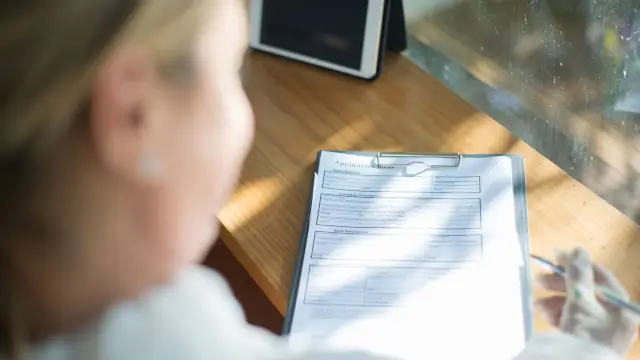
The Annapurna Bhandar form download question has two separate parts. The first is what the West Bengal government scheme is reported to provide. The second is whether a particular PDF, login page, or application button is currently genuine and usable. Mixing those questions can lead applicants to rely on an old copy, a third party page, or an unavailable route.
News on AIR reported that Annapurna Yojana was formally launched at Nabanna on 3 June 2026. Its report said that over 28 lakh women received direct transfers of Rs 3,000 in the first phase, that nearly 2 crore women were estimated to benefit, and that eligible women were given 90 days to register. It also reported an age range of 25 to 60 years and said beneficiary lists would be published at local administrative levels.
The official West Bengal pages that were accessible in this review identify the Women and Child Development and Social Welfare department and Bangla Sahayata Kendra as government service resources. They did not expose a scheme specific PDF or a complete form manual. The cited Social Security login route returned a 404 in the browser, while its homepage link led to a registry host that closed the connection. This article therefore separates verified launch information from details that still require a live official check.
Readers can compare the status of this scheme with the site's Lakshmir Bhandar payment guide and Lakshmir Bhandar exclusion guide. Those are related reading, not substitutes for a current government notice.
What You'll Learn
- What the government launch report confirms about Annapurna Bhandar and what it does not confirm.
- How to assess a form download link when the named portal is unavailable or shows a different status.
- Which basic records to keep ready without treating an unverified checklist as a mandatory government rule.
- How to protect personal information and verify an application or payment status through an official route.
What Is Annapurna Bhandar in 2026?
Annapurna Yojana, also called Annapurna Bhandar in the protected article title, is described in the News on AIR launch report as a West Bengal social security scheme for women. The report says Rs 3,000 was transferred directly into the bank accounts of over 28 lakh women during the first phase. It also says the state estimated that nearly 2 crore women could benefit.
The direct transfer description is important because it does not mean that every person who downloads a form is automatically approved. A scheme announcement, a registration request, a verification decision, and a payment record are separate stages. Applicants should keep those stages separate when reading a notice or speaking to a service centre.
The report also said that women between 25 and 60 years were eligible and that applicants had 90 days to register. Those are the eligibility and registration facts that can be attributed to the accessible launch coverage. The report does not, by itself, prove every exclusion, document rule, form field, or payment date that may appear in an online article.
What Is Officially Confirmed About the Launch?
The strongest accessible source for the launch is News on AIR, the public broadcaster of India. Its article is dated 3 June 2026 and places the launch at Nabanna. It reports a Rs 3,000 direct transfer, over 28 lakh women in the first phase, a possible reach of nearly 2 crore women, a 90-day registration period, and an eligibility range of 25 to 60 years.
The same report says beneficiary lists would be updated every 7 days. It also says lists would be published at block, panchayat, and booth levels, with an opportunity to raise objections if an ineligible name appeared or an eligible applicant was left out. That describes a public verification and objection concept. It is not a promise that every district will publish information in the same format or on the same day.
| Reported fact | Source record | Careful reading |
|---|---|---|
| Launch | News on AIR, 3 June 2026 | Launch coverage is not a complete form manual |
| Transfer | Rs 3,000 direct bank transfer | Reported benefit does not equal automatic approval |
| First phase | Over 28 lakh women | Launch figure is not a personal status result |
| Estimated reach | Nearly 2 crore women | Estimate is not a confirmed beneficiary list |
| Registration | 90 days | Confirm the current district route before filing |
The Government of West Bengal department page reviewed for this article confirms the role of the Women and Child Development and Social Welfare department in welfare administration. It does not display the Annapurna form text in the extracted page. The Bangla Sahayata Kendra homepage confirms a state service-access channel and lists government contact details, but it likewise does not display the form in the page content reviewed.
Why the Form Download Needs a Status Warning
The protected title refers to a 13-page form and the old body described sections A to H. Those details were not reproduced as confirmed facts because the named Social Security route was unavailable during review and the accessible official pages did not expose the PDF. A search result or a PDF shared by a third party is not enough to establish that it is the current government version.
A genuine form can still be unavailable because a portal is being changed, a route is moved, or a service is limited to a local office. A 404 is therefore evidence about the route checked at a particular time, not proof that the scheme itself has ended. The correct response is to verify the new official address rather than repeatedly entering personal information into copies of the old route.
Use the official West Bengal domain, a government service centre, or a notice issued by the responsible department. Do not treat a page that asks for a fee, an OTP, a bank password, or remote access to a phone as an official application step. A government benefit application should not require a private intermediary to hold the applicant's banking credentials.
Who Was Reported Eligible?
News on AIR reported that women between 25 and 60 years were eligible for the benefit. The wording in that report should be read as the launch description, not as a substitute for a current application notice. A person can fall within an age range and still need to satisfy other conditions that are not included in the short launch article.
The accessible official department page establishes that social welfare administration is handled through the relevant West Bengal department. It does not establish the complete Annapurna eligibility list. For that reason, this rewrite does not confirm income ceilings, tax tests, employment exclusions, household asset tests, citizenship filters, migration rules, or any database-cleaning category as a universal rule.
If an official notice later specifies additional conditions, read the definitions carefully. Terms such as resident, household, applicant, beneficiary, and bank account can have different meanings in a scheme form. Save the notice date and the exact source address. Do not rely on a social media summary that leaves out an exception or a local verification step.
What Does the Rs 3,000 Benefit Mean?
The launch report describes Rs 3,000 as a direct transfer into bank accounts. It does not establish a personal payment calendar, a guaranteed approval time, or a fixed date for every future instalment. Applicants should distinguish the announced amount from a payment that has actually appeared in an account.
A direct transfer also depends on the beneficiary record and the payment channel being matched correctly. If a notice asks for bank details, enter them only through a verified government route or provide them to an authorised office when the process specifically requires it. Never disclose an OTP or internet banking password to a caller who claims to be checking a payment.
| Payment question | What the launch report supports | What still needs checking |
|---|---|---|
| Amount | Rs 3,000 was reported as the direct transfer | Whether a particular applicant is approved |
| Recipient | Women beneficiaries were described | Whether the applicant appears on the local list |
| Channel | Bank account transfer was reported | Account mapping and payment status |
| Timing | First phase began with the reported launch | Future instalment dates and local processing |
The amount should not be used to infer a total annual figure unless an official notice expressly states the payment frequency and continuation terms. A launch article can describe what happened on the launch date without defining the full payment cycle for every beneficiary.
How to Check the Official Route Safely
Start with the Government of West Bengal portal and the Women and Child Development and Social Welfare department page. The department page links to the department's official web presence and identifies the responsible administrative area. The Bangla Sahayata Kendra portal is another government service-access resource, but its homepage should not be treated as proof that every scheme form is available there.
Next, check whether the scheme specific URL loads over HTTPS and whether the page identifies the responsible department. Compare the address with a notice from a government domain. If the page redirects to another host, record the final address and check whether the redirect is expected. In this review, the named Social Security login path returned a 404 and the linked registry host was unreachable. That result must be recorded rather than hidden.
When the portal is unavailable, contact the relevant block, subdivision, or municipal office through a number published on an official government page. A local office can explain whether paper forms are being issued, whether an application window is open, and which documents are currently accepted. Do not pay a private agent simply because a portal is temporarily unavailable.
What to Prepare Before Using Any Form
Preparation should reduce errors without turning a guessed checklist into a rule. Keep a clear identity document, address information, a mobile number that you control, and bank account details available only when an official process requests them. If the form asks for household or family information, use records that match the underlying documents.
Keep a copy of anything you submit and note the office, date, and acknowledgement reference if one is issued. For an online submission, save the confirmation page or application number without sharing it publicly. For an offline submission, ask whether the receiving office provides a stamped acknowledgement.
| Preparation item | Why it helps | Safe practice |
|---|---|---|
| Identity record | Reduces name and date mismatches | Use the official form and do not post a copy publicly |
| Address record | Supports local jurisdiction checks | Use the address requested by the notice |
| Bank information | May be needed for a direct transfer | Share only through a verified official route |
| Submission proof | Helps with later status questions | Save the acknowledgement or reference safely |
| Notice copy | Preserves the rule used at filing | Record its date and government URL |
Do not create or upload a document only because an unofficial article lists it. The final document requirement comes from the active government notice or the authorised receiving office. Requirements can differ between an initial registration, an objection, a correction, and a payment-status request.
How to Read Form Fields Without Guessing
A form field should be answered from the wording printed on the current government document. Do not assume that a field called family information has the same meaning as household information in another scheme. Do not infer that a field is mandatory simply because a blog post lists it in a checklist.
Read instructions near the signature and declaration carefully. A declaration normally makes the applicant responsible for the truth of the information supplied, but the exact legal effect depends on the wording of the form. If a question is unclear, ask the receiving office before signing instead of leaving a guessed answer.
Take particular care with records that contain sensitive numbers. A form image shared in a messaging group can expose identity or bank information. Download only from a verified government address, keep the file in a private location, and delete duplicate copies from public devices after printing if appropriate.
What to Do if the Portal Shows 404 or Will Not Open
A 404 means that the specific address checked did not return the expected page. It can happen after a route change, a page removal, or a temporary deployment problem. It does not by itself answer whether the scheme is open, closed, or available through an office.
Record the full address, date, and visible error. Then check the Government of West Bengal department page and Bangla Sahayata Kendra for a current link. If a redirected host fails, do not repeatedly refresh while entering personal details. Use a separate official contact route to ask whether the service has moved.
Be cautious with replacement links sent by strangers. A genuine update should be traceable to an official department page, a government notice, or an authorised service centre. The safest conclusion in this review is that the named route needs rechecking, not that a new unofficial download should be used.
How to Check an Application or Beneficiary Status
The launch report says beneficiary lists would be updated every 7 days and published at block, panchayat, and booth levels. That is useful context for a status check, but it does not identify a single online status page for every applicant. Ask the responsible office where the current list or objection process is published.
If an applicant was left out, the report says there would be an opportunity to raise objections or reapply. Keep the application acknowledgement and any written response. A status message such as under review, rejected, or payment pending should be read with the date and the authority that issued it.
Do not assume that a private status checker has access to the official beneficiary database. Never enter an Aadhaar number, bank password, card PIN, or OTP into a page that cannot be verified as an official government service. For a suspected fraud attempt, preserve the message and report it through the appropriate official channel.
Annapurna Bhandar and Lakshmir Bhandar: What Can Be Said
The old body stated that Annapurna Bhandar replaced Lakshmir Bhandar and that existing beneficiaries would be moved automatically, while a large group would be removed through a database process. The accessible official sources reviewed for this rewrite did not establish that complete transition logic. It is therefore not presented as a universal rule.
A person who already receives another West Bengal benefit should not stop an existing payment or file a duplicate application based only on a blog post. Check the official beneficiary communication and ask the responsible office whether any action is required. The site's DBT bank-link guide and NPCI BASE guide provide general background only. They do not determine an individual's Annapurna status.
| Transition question | Safe conclusion | Action to take |
|---|---|---|
| Existing beneficiary | Do not assume automatic migration from an article | Check the official communication or office |
| Payment delay | Do not assume a database exclusion | Use the official status and objection route |
| New applicant | Age and launch facts do not guarantee approval | Verify the current registration process |
| Duplicate filing | Do not submit again without guidance | Keep the first acknowledgement and ask the office |
This distinction protects applicants from two opposite mistakes. Some may reapply when no reapplication is needed. Others may assume migration is automatic when the current notice requires an action. Only the active government record can resolve that question.
Practical Checklist Before You Download or Submit
First, verify the address from a government source. Second, check the visible publication or update date of the notice. Third, confirm the applicant category and registration period from the active instructions. Fourth, download only from the verified route and inspect the document before entering personal details.
Fifth, ask the receiving office which records are required for the exact transaction. Sixth, keep an acknowledgement. Seventh, check a government-published list or status route instead of relying on a private screenshot. Finally, protect identity and bank information throughout the process.
The launch facts are useful, but they are limited. News on AIR confirms the reported Rs 3,000 transfer, over 28 lakh women in the first phase, nearly 2 crore estimated potential beneficiaries, the 90-day registration statement, the 25 to 60 age range, and the 7-day list-update statement. The accessible West Bengal government pages confirm the responsible department and the government service hub. They do not confirm the complete form PDF or every field in the old article.
The site's e-Shram Card guide, DBT process guide, and PM Kisan update can help readers compare how different schemes handle status and document questions. None of those pages replaces the current Annapurna Bhandar notice.
Frequently Asked Questions

SK Jabedul Haque
Building India's most trusted finance education platform — simplifying news, schemes and market trends so anyone can understand and invest confidently.
Read full bio


Never miss an update
Get our clearest explainers on schemes, markets and money — read what matters, without the noise.
Explore more articles