How to Run AI Models Offline on Your Mobile Phone (2026 Complete Guide)
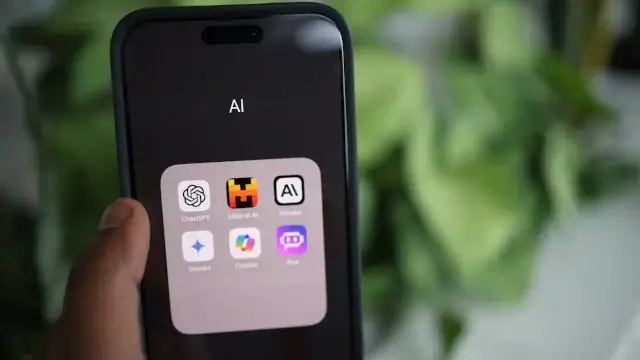
Running an AI model on a phone is now possible, but the experience depends on the app, model format, device memory, operating system, and whether the task needs current online information. An offline setup can be useful for drafting, summarizing local text, or asking questions without a network connection. It is not a drop-in replacement for every cloud model.
What You'll Learn
- What offline mobile AI can and cannot do after a model is downloaded.
- How Android and iPhone users can choose an app or developer route.
- How model size, quantization, memory, storage, and heat affect local inference.
- How to check privacy claims and decide when a cloud model is a better fit.
What Offline AI Means on a Mobile Phone
Offline AI means that the model weights and the inference runtime are available on the device, so a prompt can be processed without sending that prompt to a remote model server. The model still needs to be downloaded first, and the app may need internet access for installation, updates, account features, model discovery, or optional sharing.
On-device inference is different from using a cloud chatbot in three important ways. The local model is usually smaller, the phone has less memory and power than a data center, and the model has no automatic access to current websites unless the app adds an online tool. A local response can be private and available in airplane mode, but it may be slower or less capable for long documents and difficult reasoning.
For a technical introduction to retrieval and model context, see our guide to retrieval-augmented generation for context. A downloaded model does not become current merely because it is running locally.
Choose an App or a Developer Framework
Most readers should begin with a consumer app that handles model downloads, model loading, chat history, and device-specific settings. Developers may instead use a framework such as Google AI Edge on Android or Apple Foundation Models on supported Apple devices. These are not interchangeable routes. A framework gives an app developer more control, while a consumer app gives a reader a faster path to a local chat.
| Route | Best for | Internet needed | Main limit |
|---|---|---|---|
| Consumer local AI app | Trying a downloaded GGUF model | Install, model download, and updates | Model and feature choices depend on the app |
| Android developer runtime | Building an on-device Android feature | Development and model delivery | Device support and API status must be checked |
| Apple Foundation Models | Building Apple Intelligence features | Depends on model path and app feature | Supported device and operating-system requirements |
| Self-managed runtime | Testing local inference with technical control | Packages and models may need downloads | Setup and compatibility work are your responsibility |
Readers comparing model families can also use our AI model guide, but model capability on a server does not predict identical performance on a phone.
Primary references for the technical limits include Google AI Edge Android documentation, Apple Foundation Models documentation, and the PocketPal AI repository for the source-backed guidance used here.
Download and Run a Small Model Safely
The simplest local workflow is to install a trusted app, download a model from a source the app supports, load the model, and test it with a short prompt before using private material. The first download should happen on a trusted connection because model files can be large. Keep enough free storage for the model, temporary files, and app updates.
- Install the app from the official App Store, Google Play listing, or the project repository linked by the developer.
- Read the app permissions and data-safety information before importing documents or connecting optional services.
- Start with a smaller quantized model that fits the device rather than choosing the largest file available.
- Load the model and test a short prompt with network access disabled.
- Benchmark on the phone you plan to use. Results can change with model size, context length, thermal state, and backend.
Quantization reduces model storage and memory needs by using lower-precision representations. It can make local inference practical, but it can also change output quality. A small quantized model may be suitable for short drafting or extraction while struggling with long context, specialist facts, or multi-step reasoning.
PocketPal AI: A Practical Consumer Path
PocketPal AI is one documented consumer route for local models. Its public repository says the app runs GGUF language models on the phone, links to both App Store and Google Play downloads, and supports model downloads through Hugging Face. The repository also describes local chat, benchmarking, and CPU, GPU, and selected NPU paths with fallback.
The repository says the core local chat can work without backend keys and that a model can be downloaded, loaded, and used offline. It also explains that users may opt into sharing benchmark results and may submit feedback. That distinction matters. An offline inference claim describes the model execution path, while optional app features can have their own data flow.
Google Play lists PocketPal as a local model app and says the developer recommends 6GB or more RAM for smaller models and 8GB or more for larger models. Treat those figures as product guidance rather than a universal rule. The same listing includes a data-safety panel that says the developer may collect personal information and may share personal information with third parties. Read the current listing before relying on a privacy assumption.
After setup, the basic test is simple. Turn off network access, load a small model, ask it to summarize text that is already on the device, and observe response time, heat, battery use, and whether any feature stops working. Do not infer that one successful chat proves every app function is offline.
Android Developers: Google AI Edge and LiteRT-LM
Google's Android documentation describes an LLM Inference API that can run supported language models completely on-device for tasks such as text generation and document summarization. The same page says the MediaPipe API is now in maintenance-only mode and recommends migrating Android projects to the LiteRT-LM Android Kotlin API.
Google's quickstart uses a 4-bit quantized Gemma 3 1B example and says the model is too large to bundle in an APK for deployment, so an app may download it at runtime. The documentation also says the API is optimized for high-end Android devices such as Pixel 8 and Samsung S23 or later and does not reliably support emulators. These statements are developer guidance, not a promise for every phone.
Google also describes the AI Edge Gallery as an alpha open-source Android application for exploring on-device generative AI, downloading supported models, and viewing performance benchmarks. Treat an alpha application and a maintenance-only API as moving software. Check the current LiteRT-LM documentation before starting a new Android project.
Developers working with local context may also review our article on AI agent architectures. A local model can be one component of an app, but tools, network permissions, and data storage still determine the full privacy boundary.
iPhone Developers: Apple Foundation Models
Apple's Foundation Models documentation describes a framework for accessing on-device and Private Cloud Compute models designed for Apple Intelligence. It documents text generation, summarization, entity extraction, text and image understanding, structured output, sessions, tool calling, and response evaluation.
The important distinction is that the framework supports both an on-device model and a Private Cloud Compute path. Apple's documentation says stronger reasoning and larger context can use Private Cloud Compute or another server model provider. Therefore, a feature built with Foundation Models should disclose which model path it uses and what happens when the device cannot complete the request locally.
Apple says developers need an Apple Intelligence supported device and the documented operating-system versions. The framework is a developer API, not a guarantee that every iPhone can install an unrestricted local chatbot. For consumer use, check the app's current description, supported devices, model path, and privacy terms.
Readers comparing hosted model behavior can refer to our cloud AI comparison, but the result of that comparison should not be applied directly to a smaller on-device model.
Hardware, Storage, and Battery Checks
There is no single RAM threshold that guarantees a good local AI experience. The result depends on model parameters, quantization, context window, runtime, backend, operating-system memory pressure, and thermal limits. A phone may load a model but still produce slow responses or close the app when other applications need memory.
| Check | Why it matters | Practical starting point | What to measure |
|---|---|---|---|
| Available memory | The model and runtime need working memory | Use the app's model guidance and start small | Load success and stability |
| Free storage | Model files and temporary data take space | Keep room beyond the model file size | Download and update reliability |
| Thermal state | Sustained inference can heat the phone | Test a short session before long work | Speed changes and device warmth |
| Battery condition | Local inference uses device power | Test unplugged and with a full charge | Battery drain during a fixed task |
Start with a small model and a short context. If the app offers a benchmark, run the same prompt and model after the phone is idle. A benchmark result is a device-specific observation, not a universal speed claim.
Offline AI Versus Cloud AI
Offline and cloud AI solve different problems. Local inference can reduce network dependence and keep a prompt on the device during model execution. Cloud inference can provide larger models, current web access, shared workspaces, and more compute. Both paths still require the user to check the app's permissions, storage, logging, and optional tools.
| Capability | On-device model | Cloud model | Question to ask |
|---|---|---|---|
| Network dependence | Can work after setup with network disabled | Usually needs a network request | Does the app have update or account features that still need access? |
| Model scale | Constrained by phone memory and power | Uses data-center hardware | Is the smaller model accurate enough for this task? |
| Current information | No current web information by default | May have search or connected tools | Does the answer need fresh information? |
| Privacy boundary | Can keep inference local | Prompt may be sent to a provider | What do the app and provider terms say? |
For local work such as rewriting, basic extraction, or private notes, an on-device model may be a sensible fit. For current affairs, complex research, long documents, or high-stakes decisions, verify the output and consider a service with the required context and source access.
Privacy Is a Feature Claim, Not a Guarantee
If a model runs on-device, the prompt used for that inference can avoid a remote model request. That does not automatically mean the entire app has no data collection. App analytics, crash reports, feedback forms, leaderboards, model downloads, account services, and connected tools can have separate network paths.
Check the official store data-safety panel, privacy policy, app permissions, repository documentation, and network behavior where possible. Keep sensitive documents out of optional sharing or cloud-connected features. A product statement such as no data leaves the device should be read together with the app's current data-safety disclosures and feature settings.
Local inference also does not protect a device from theft, malware, weak screen security, copied chat history, or an unsafe model file. Use device encryption and screen protection, download software from a trusted source, and avoid giving a local model access to files that it does not need.
Troubleshooting Local Model Performance
When a local model fails, the cause is often a mismatch between the model file, runtime, backend, and device. Begin with the smallest supported model. Close other heavy apps, reduce context length, and repeat the same short prompt. If the app offers a CPU fallback, compare it with the accelerated path after checking battery and heat.
| Symptom | Likely cause | First check | Next step |
|---|---|---|---|
| Model will not load | Unsupported format or insufficient memory | App model list and device memory | Try a smaller supported quantized model |
| Responses are very slow | Large model, long context, or CPU fallback | Model size and runtime backend | Reduce context and benchmark a smaller model |
| Phone becomes warm | Sustained inference load | Session length and background apps | Pause the session and allow the device to cool |
| Offline mode breaks a feature | Feature uses an account, download, or online tool | App permissions and feature documentation | Test the chat path separately from connected features |
Do not treat a failed model load as proof that local AI is impossible on the phone. It may only show that the chosen model or runtime is not supported. Conversely, a successful load does not prove that the model is suitable for long sessions or sensitive production work.
When Offline AI Is the Wrong Tool
Use a cloud or connected workflow when the task needs live prices, current laws, recent news, broad web research, a large context window, or a model that is too large for the phone. A local model has no automatic way to verify a new event unless the app deliberately connects to an online source.
Use extra caution for medical, legal, tax, security, or financial questions. A local model can generate a useful draft or list of questions, but its offline status does not make the answer correct. Verify important claims with primary sources and qualified professionals.
For agent workflows, a local model may be a private planning component while external tools remain online. Our guide to building AI agents without coding explains why tool access and permissions matter separately from the model itself.
Conclusion: A Realistic Offline AI Setup
How to run AI models offline on your mobile phone in 2026 depends less on a single app name and more on a clear setup test. Choose a supported app or framework, download a small quantized model from a trusted source, disable the network, and measure response time, heat, battery, storage, and output quality on the actual device.
Android developers should account for the current Google AI Edge and LiteRT-LM direction. iPhone developers should distinguish Apple's on-device Foundation Models path from Private Cloud Compute. Consumers should read current store disclosures and remember that optional app features may still connect to the internet. Local AI is useful, but its limits should be part of the setup.
Frequently Asked Questions

SK Jabedul Haque
Building India's most trusted finance education platform — simplifying news, schemes and market trends so anyone can understand and invest confidently.
Read full bio


Never miss an update
Get our clearest explainers on schemes, markets and money — read what matters, without the noise.
Explore more articles