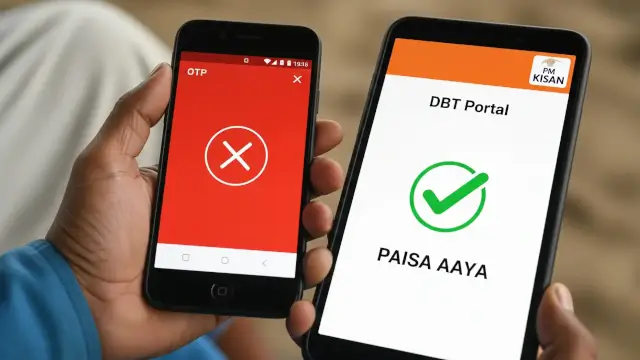
OTP Ka Jhanjhat Khatam!
What You'll Learn
- What “without OTP” can and cannot show on official PM-KISAN routes
- How the public beneficiary list differs from private payment status
- Where DBT Bharat, PFMS, bank-Aadhaar linking and eKYC fit into troubleshooting
- How to avoid fake status pages, OTP theft and guaranteed-payment claims
Can You Check PM-KISAN Status Without an OTP?
PM Kisan status without OTP 2026 needs a careful answer because “status” can mean several different things. If you want your private account details, payment entry, UTR number, bank name or credited-on date, the official PM-KISAN Know Your Status page says an OTP will be sent to the registered mobile number after the registration-number and captcha steps.
That means a website or video promising the complete PM-KISAN account status with only an Aadhaar or bank number should not be treated as an official shortcut. The old idea that every payment screen is available without authentication can expose personal information and send readers to copied forms.
There are still legitimate checks that do not require the same private account-status flow. The public beneficiary list provides State, District, Sub-District, Block and Village selectors. DBT Bharat also links citizens to PFMS payment-status resources for schemes on PFMS and to bank-Aadhaar linking information. These routes answer narrower questions. They do not automatically recreate the private PM-KISAN dashboard.
The practical answer is therefore simple. Without the registered-mobile OTP, do not promise a full beneficiary or payment-status view. Use an official public list or a clearly labelled DBT and PFMS service, then solve the mobile or verification problem through an authorised route.
Separate These Five PM-KISAN Checks
Many status articles fail because they use one word for several different records. A name in a beneficiary list does not prove that a particular instalment has been credited. A bank-Aadhaar link does not prove that PM-KISAN eligibility is complete. eKYC completion does not repair a wrong land record. Keep the checks separate before deciding what to do next.
| Check | What it answers | What it cannot prove alone |
|---|---|---|
| Beneficiary list | Whether a name appears for a selected geography | A private payment entry or UTR |
| PM-KISAN Know Your Status | Account, payment and eKYC details after the official verification flow | That a third-party page is genuine |
| eKYC | Whether the required identity-verification step is recorded | That land, bank or eligibility data is correct |
| Bank-Aadhaar linking | Whether the bank mapping service shows a link status | That PM-KISAN has approved or released payment |
| PFMS or DBT payment check | Payment information for the applicable PFMS or DBT route | That every PM-KISAN field is available without OTP |
The difference matters when a farmer sees a message such as “payment failed”. The next step may be a bank detail check, an Aadhaar seeding check, eKYC, land verification or PM-KISAN support. Repeating the same OTP attempt will not fix the wrong record.
Official PM-KISAN and DBT Links to Use
Start from the official PM-KISAN portal. Its current homepage provides New Farmer Registration, Know Your Status, the public beneficiary list and scheme information. The Know Your Status page says an OTP is sent to the registered mobile number. That is the correct boundary for a private account-status claim.
The DBT Bharat DBT Payments page lists a citizen link for “Know status of DBT Payments”, with the qualification that it applies only to schemes on PFMS. The same page links to bank-Aadhaar linking status and an Aadhaar-seeding guide. It does not say that a PM-KISAN private account can always be opened with no OTP.
| Official route | Best question to ask | OTP boundary |
|---|---|---|
| PM-KISAN Know Your Status | What are my private payment, bank, UTR and eKYC details? | OTP is sent to the registered mobile number |
| PM-KISAN public list | Does a name appear for a selected State, District, Block and Village? | Public geographic search, not private payment details |
| DBT Bharat and PFMS | What payment or bank-seeding service is available for an applicable PFMS route? | Follow the live service input and authentication |
The PFMS DBT page explains that DBT transfers benefits directly to beneficiary bank accounts and describes a Know Your Payment function. It also identifies PM-KISAN as a DBT scheme. Use the exact input and authentication shown on the live PFMS page. Do not copy a field sequence from an old blog post.
Readers who need a wider government-scheme context can use the site's Govt Schemes archive. The archive is only a reading aid. The official government pages control the current form, status and eligibility.
Use the Public Beneficiary List Without the Private OTP Flow
The official PM-KISAN public beneficiary list is useful when the question is “does this name appear in the selected area?” Open the page from the PM-KISAN portal and select the State, District, Sub-District, Block and Village requested by the live form. The page currently displays these geographic selectors.
- Open the public Beneficiary List from the official PM-KISAN domain.
- Select the State and wait for the next location options to load.
- Choose District, Sub-District, Block and Village as requested.
- Submit the form and search the displayed list carefully.
- Compare the name with your official documents, while allowing for spelling differences.
A public-list match is not a payment confirmation. It does not show the private UTR, bank name or credited-on date that the Know Your Status page can show after its verification steps. A name may also require further eligibility, eKYC, land or bank checks before a payment is released.
Do not upload an Aadhaar image to a site that claims to search the public list. The public list needs geographic selections, not an agent's request for an OTP. If a third-party form asks for more information than the official page, close it.
What DBT Bharat and PFMS Can Help You Check
DBT Bharat is a government information and service portal for Direct Benefit Transfer. Its DBT Payments page points citizens to a PFMS payment-status link for schemes on PFMS and to a bank-Aadhaar linking-status route. This can help diagnose the payment path, but it should not be described as a universal PM-KISAN no-OTP account viewer.
PFMS explains that its DBT module handles transfers to beneficiary bank accounts and that its Know Your Payment functionality provides payment information for applicable routes. If the PFMS page asks for a bank account, Aadhaar or other detail, enter it only on the official PFMS domain and follow the current form. A different scheme can use different identifiers.
| Problem you see | Official check to try | What to remember |
|---|---|---|
| Name not found in the list | Recheck the selected geography and the spelling in the land or beneficiary record | Do not create a duplicate PM-KISAN registration immediately |
| Payment not visible | Use PM-KISAN Know Your Status after resolving the registered-mobile OTP issue | The public list is not a private payment ledger |
| DBT or bank mapping concern | Use DBT Bharat's bank-Aadhaar linking route or the bank's authorised channel | A link status is not an instalment approval |
| PFMS payment route issue | Use the official PFMS Know Your Payment route when the scheme is supported | Input requirements and visibility can differ by scheme |
| eKYC pending | Use PM-KISAN or an authorised eKYC option shown on the official portal | eKYC does not correct unrelated land or bank errors |
The site's PM-KISAN instalment and beneficiary-status guide explains why a payment date question is different from a public-list search. Use the official portal for the live record.
What to Do If Your Registered Mobile Number Is Not Available
If you lost the SIM, changed the number or cannot receive the OTP, do not search for a secret bypass. First identify whether the number belongs to the PM-KISAN record, the bank account or another identity service. Different records may require different correction routes.
Use the official PM-KISAN support or status instructions shown on the live portal. Ask your bank about updating its registered mobile number through the bank's authorised process. For eKYC, the PM-KISAN homepage lists biometric options through CSC VLE logins, the PM-KISAN mobile application and state-authorised user logins. The availability of a particular option can depend on the current portal and authorisation. For another government-record workflow, the site's ADIGRAMS portal guide shows why a current official notice matters more than a copied shortcut.
Keep the registration number, acknowledgement and masked copies of relevant documents. A legitimate help centre should explain what it is doing and provide a receipt. It should not ask for an OTP so that the operator can keep control of your account. If your record also involves a Farmer ID, the site's UP Farmer Registry guide explains why land and beneficiary records should be checked separately.
For a separate identity and record-linking topic, read the site's UDID and government-benefit record guide. The same privacy principle applies: use the official service and share only what the current form requires.
Why PM-KISAN Payment May Not Appear
The official PM-KISAN homepage says eKYC is mandatory for registered PM-KISAN farmers. It also lists scheme exclusions and says the government has identified suspected cases that may be temporarily withheld for physical verification. The homepage records the 23rd instalment as released on 20 June 2026.
PM-KISAN provides ₹6,000 per year in three equal instalments to eligible landholding farmer families, subject to scheme conditions and state identification. That does not mean every farmer receives the same result on the same screen. The payment can depend on eligibility, eKYC, land details, bank information and the scheme's verification cycle.
The official page gives examples of suspected exclusion cases that may be withheld for verification, including land ownership acquired after 1 February 2019 and more than one family member receiving benefits. These are scheme-specific conditions. Do not infer rejection from a public-list result alone.
When payment is missing, write down the exact message and check one record at a time. Avoid agents who promise that a fee will release the instalment, and do not change bank or land details merely to make a status screen look different.
Fraud Checks for No-OTP Status Searches
The phrase “without OTP” attracts pages that imitate government services. A copied logo, a WhatsApp link or a video claiming an “asli trick” is not proof of authorisation. The official pages reviewed do not support a universal promise that a full PM-KISAN payment status is available with no OTP.
- Check that the address is `pmkisan.gov.in`, `dbtbharat.gov.in` or `pfms.nic.in` before entering details.
- Do not send an OTP, Aadhaar image, bank PIN or password to an agent or caller.
- Do not pay for a guaranteed payment, instant approval or secret status bypass.
- Use the public beneficiary list only for the information that page actually displays.
- Save a receipt or reference number and mask sensitive data in a grievance.
If a page claims it can show your UTR, bank account or credited-on date without authentication, leave it and return to the official portal. A security step may feel inconvenient, but bypassing it through an unknown site can create a larger problem than a missing status screen.
What You Can Reliably Check Without an OTP
Without the registered-mobile OTP, the reliable options are limited and public. You can use the official Beneficiary List's geographic selectors to check whether a name appears in the selected village. You can read the DBT Bharat citizen instructions and open the relevant PFMS or bank-Aadhaar linking service when your question fits that service. You cannot treat either option as a guaranteed replacement for the private PM-KISAN Know Your Status page.
Once the registered-mobile problem is solved, use the official PM-KISAN status page to review payment status, bank name, UTR number, payment mode, credited-on date and eKYC information shown by the account flow. Keep those results private. If the result is inconsistent, contact the relevant official support route with a reference number and a short description of the mismatch.
The answer is less dramatic than the old “trick” headline, but it is safer and more useful. A status check should tell you which record needs attention. It should not encourage you to place Aadhaar or bank data into an unverified form.
The Bottom Line on PM-KISAN Status Without OTP
The official PM-KISAN Know Your Status page sends an OTP to the registered mobile number. Without that OTP, use the public beneficiary list for a limited name-level check and use DBT Bharat or PFMS only through their official routes for the payment or bank-linking question they actually support.
Do not confuse a beneficiary list, PM-KISAN eKYC, a bank-Aadhaar link, a PFMS payment record and a private account status. They are separate checks. The current official PM-KISAN portal controls the live requirement, payment message and eligibility result.
Frequently Asked Questions

SK Jabedul Haque
Building India's most trusted finance education platform — simplifying news, schemes and market trends so anyone can understand and invest confidently.
Read full bio


Never miss an update
Get our clearest explainers on schemes, markets and money — read what matters, without the noise.
Explore more articles