NPCI Aadhaar Seeding Status Inactive Fix 2026: Step-by-Step Activation Guide
What You'll Learn
- Why your NPCI Aadhaar seeding status shows Inactive and how it blocks all DBT payments
- How to check your current seeding status using UIDAI portal and NPCI BASE portal
- Step-by-step process to fix Inactive status online without visiting the bank
- How to verify the fix worked and ensure your next DBT payment goes through
The NPCI mapper - formally called the Aadhaar Payment Bridge System (APBS) mapper - is the central database that connects your Aadhaar number to your bank account for Direct Benefit Transfers. Every time the government sends you a subsidy payment for schemes like Annapurna Bhandar (₹3,000), Yuva Shakti Bharosa Card (₹3,000), PM Kisan (₹2,000), or LPG subsidy, the payment system checks this mapper. If your status shows "Inactive," the payment fails automatically. According to the ClearTax guide on NPCI Aadhaar link status, and the Paytm guide on fixing DBT bank mapping errors, this is the single most common reason for DBT payment failure across all government schemes in 2026.
What Does NPCI Aadhaar Seeding Status Inactive Mean?
The NPCI mapper maintains a record of which bank account is linked to your Aadhaar number for DBT purposes. The status can be one of three:
- Active / Enabled for DBT: Your Aadhaar is correctly seeded to a bank account. DBT payments will reach your account.
- Inactive / Not Seeded: The mapper has a record of your Aadhaar, but the bank account link is not enabled for DBT. Payments will fail.
- Not Mapped: Your Aadhaar is not found in the NPCI mapper at all. No bank account is linked for DBT.
The Inactive status typically occurs when your bank has linked your Aadhaar for identification purposes (KYC, UPI) but has not uploaded the separate DBT seeding file to the NPCI mapper. According to the NPCI Standard Operating Procedure published by DBT Bharat (dbtbharat.gov.in), the bank is responsible for uploading this file. Many bank branches complete only the internal Aadhaar linking without completing the mapper upload, leaving the status Inactive.
How to Check Your NPCI Aadhaar Seeding Status
Before you can fix the Inactive status, you need to confirm that it is indeed Inactive. There are three methods to check your current NPCI seeding status:
Method 1: UIDAI Bank Seeding Portal (Fastest)
- Open your browser and go to myaadhaar.uidai.gov.in/bank-seeding-status
- Enter your 12-digit Aadhaar number and the captcha code displayed
- Click "Send OTP" - the OTP goes to your Aadhaar-linked mobile number
- Enter the OTP and click "Submit"
- The screen will display your bank name, masked account number, and the seeding status
If the status shows "Seeded" or "Active," your Aadhaar-bank link is working for DBT. If it shows "Inactive," "Not Seeded," or an old bank account you no longer use, your DBT payments will fail until you fix it.
Method 2: NPCI BASE Portal (Most Detailed)
The Bharat Aadhaar Seeding Enabler (BASE) portal is NPCI's self-service platform. Many banks host it on their own websites. You can also access it directly through the NPCI website:
- Visit the NPCI website at npci.org.in
- Click on "What We Do" → "NACH" → "Bharat Aadhaar Seeding Enabler (BASE)"
- Alternatively, visit your bank's website and search for "BASE" under the customer services section
- Enter your Aadhaar number and complete verification
- Check the "Aadhaar Mapped Status" field - it should say "Enabled for DBT"
Method 3: Bank Passbook or Net Banking
Some banks show the Aadhaar seeding status directly in your passbook or net banking dashboard. Log into your net banking account, navigate to the "Services" or "Profile" section, and look for "Aadhaar Seeding Status" or "Aadhaar Link Status." If it shows "Seeded" but the NPCI mapper shows "Inactive," the bank has linked your Aadhaar internally but not in the mapper.
How to Fix NPCI Aadhaar Seeding Inactive Status - Step by Step
Once you have confirmed that your status is Inactive, follow these steps in order. Do not skip any step.
Step 1: Visit Your Bank Branch (Recommended First Step)
The most reliable way to fix the Inactive status is to visit your bank branch in person. Carry your Aadhaar card, PAN card, and bank passbook. Ask the bank officer to complete the following: (a) verify your Aadhaar-bank linking in their CBS system, (b) upload the DBT seeding file to the NPCI mapper specifically, and (c) provide you with a written acknowledgement that the seeding request has been submitted to NPCI. According to the NPCI-Aadhaar seeding process PDF published by DBT Bharat, the bank MUST upload a separate file to the NPCI mapper - internal CBS linking is not sufficient. If the bank officer says "Aadhaar is already linked," ask them specifically: "Has the NPCI mapper been updated with the DBT seeding file?"
Step 2: Use the BASE Portal for Fresh Seeding
After the bank processes your request, you can also initiate a fresh seeding request through the NPCI BASE portal. The BASE portal supports three types of requests:
- Fresh Seeding: If your Aadhaar has never been seeded, this creates a new mapping to your bank account.
- Movement within Same Bank: If you have multiple accounts in the same bank and want to change which one receives DBT.
- Movement to Different Bank: If you want to switch the DBT account from one bank to another.
To submit a fresh seeding request on the BASE portal, select "Fresh Seeding" from the options, enter your Aadhaar number, select your bank and branch, and enter your account number. The portal will generate a reference number. The bank will process this request within 48 hours to 7 working days.
Step 3: Perform a Small Transaction to Activate the Account
If your bank account has been dormant (no transactions for over 12 months), the Inactive status may be caused by the account being classified as dormant rather than a seeding issue. According to RBI guidelines, accounts with no customer-initiated transaction for 24 months are classified as dormant, and the bank automatically blocks all inward credits including DBT. Perform a small transaction - deposit ₹10 or transfer ₹5 to another account - to make the account active again. Then wait 48 hours and recheck the NPCI mapper status.
Step 4: Verify the Fix After 48 Hours
After completing the seeding request, wait at least 48 hours before checking the status. The NPCI mapper update does not happen instantly - the bank's file needs to be processed, verified, and approved. After 48 hours, check your status using Method 1 (UIDAI portal) or Method 2 (BASE portal). If the status now shows "Active" or "Enabled for DBT," your fix has succeeded. Your next DBT payment should credit successfully.
Common Errors and Their Solutions
| Error | Cause | Solution |
|---|---|---|
| Name Mismatch (B06) | Name in Aadhaar vs bank differs | Update bank name to match Aadhaar |
| Invalid Bank Account | Account closed or incorrect IFSC | Verify account details at bank branch |
| Account Dormant | No transaction for 24+ months | Do small transaction, reactivate account |
| Already Mapped to Old Account | Seeding points to closed account | Use BASE portal "Movement" request |
| Aadhaar Not Found in NPCI | Never seeded before | Fresh seeding through BASE portal |
How to Fix Inactive Status Without Visiting the Bank
If you cannot visit your bank branch, here are alternative methods that work for most major Indian banks in 2026:
Option A: Net Banking Portal (SBI, HDFC, ICICI, Axis)
Log into your net banking account. Navigate to "My Profile" or "Services" and look for "Link Aadhaar" or "Aadhaar Seeding." Enter your Aadhaar number and submit. Some banks also show an option specifically for "Aadhaar Seeding for DBT" or "NPCI Mapper Update." Use this option instead of the general Aadhaar link option. After submission, the bank processes the request within 48-72 hours.
Option B: Mobile Banking App
Most bank mobile apps now include Aadhaar seeding functionality. Open your bank's app, go to the "Services" or "Requests" section, and look for "Aadhaar Seeding" or "Update Aadhaar." Complete the video KYC if prompted, and submit the request. The Paytm guide on fixing DBT bank mapping errors confirms that mobile app seeding works for HDFC, ICICI, SBI, and Axis bank customers.
Option C: ATM Machine
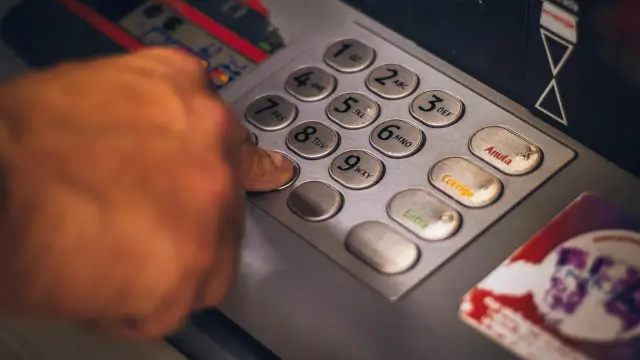
Select bank ATMs (SBI, ICICI) allow Aadhaar seeding directly through the ATM interface. Insert your debit card, select "Services" → "Aadhaar Seeding," enter your Aadhaar number, and confirm. The request is processed immediately and reflected in the NPCI mapper within 48 hours.
Why the Bank Says "Aadhaar Is Linked" But the Mapper Shows Inactive
This is the most frustrating scenario for DBT beneficiaries. You visit the bank, they check your account, and say "Your Aadhaar is already linked - everything is fine." But your NPCI mapper still shows Inactive. Here is why this happens: Banks operate two separate systems. The first is their Core Banking Solution (CBS), which stores your basic profile including Aadhaar number. The second is the NPCI mapper upload system, which transmits the DBT seeding file to NPCI. A bank teller checking your CBS profile may see "Aadhaar Linked" because your 12-digit number is recorded in your profile. But if the bank's internal team has not uploaded the separate DBT seeding file to the NPCI mapper, your status remains Inactive. The official NPCI SOP document explicitly states: "The branch should not show CBS screen or provide screenshot to the customer confirming seeding" - because the CBS screen does not prove the mapper has been updated.
What to Do If the Fix Doesn't Work After 7 Days
If you have completed the seeding request and 7 days have passed but the status still shows Inactive, follow this escalation matrix:
- Revisit the bank branch with a printed copy of your UIDAI portal screenshot showing "Inactive" status. Ask the branch manager to personally follow up with the bank's NPCI nodal officer.
- File a complaint with the bank's nodal officer - every bank has a designated nodal officer for NPCI-related issues. Ask your branch for their contact details.
- Use the NPCI grievance portal - visit npci.org.in and file a complaint under the "Grievance" section. Provide your Aadhaar number, bank name, account number, and the reference number from your BASE portal seeding request.
- Escalate to the Banking Ombudsman - if the bank fails to resolve the issue within 30 days, file a complaint with the RBI Banking Ombudsman at bankingombudsman.rbi.org.in.
- Approach your BDO or CSC centre - for scheme-specific DBT issues (Annapurna Bhandar, Yuva Shakti), the BDO office can sometimes intervene with the bank to resolve seeding problems faster.
How to Prevent Inactive Status in the Future
Once you have successfully fixed your NPCI seeding status, take these steps to prevent it from becoming inactive again:
- Check your seeding status quarterly - set a reminder to check every 3 months on the UIDAI portal. Some banks inadvertently reset seeding during system upgrades.
- Keep your bank account active - perform at least one small transaction every 2-3 months to prevent the account from being classified as dormant.
- Update your mobile number - ensure your Aadhaar-linked mobile number is active, as all seeding verification depends on OTP delivery.
- Inform the bank before changing accounts - if you close your existing account and open a new one, ensure the NPCI mapper is updated with the new account before closing the old one.
- Use the same name across all documents - name mismatches between Aadhaar and bank accounts are the #1 reason for seeding failures. Keep your name consistent.
NPCI Seeding for Annapurna Bhandar and Yuva Shakti Beneficiaries
If you are a beneficiary of the Annapurna Bhandar (₹3,000/month for women) or Yuva Shakti Bharosa Card (₹3,000/month for unemployed youth) scheme, fixing your NPCI seeding status is even more urgent. These schemes began or are expected to begin disbursement in June-July 2026. With lakhs of beneficiaries being onboarded simultaneously, the NPCI mapper will face high traffic. Having an Inactive status during the first disbursement cycle means you could miss months of payments before the issue is identified and resolved. Check your status today - before the disbursement rush begins. The process takes 48 hours to resolve once submitted correctly.
Conclusion
An inactive NPCI Aadhaar seeding status is frustrating but fixable. The root cause is almost always the same: your bank has linked your Aadhaar in its internal system but has not uploaded the DBT seeding file to the NPCI mapper. The solution is straightforward - visit your bank branch, specifically request NPCI mapper seeding (not just Aadhaar linking), and verify the fix after 48 hours using the UIDAI portal or BASE portal. If you cannot visit the branch, use net banking, mobile app, or ATM-based seeding options. With government schemes worth thousands of rupees every month depending on this seeding, taking 48 hours to fix the issue can prevent months of payment failures. Do not assume "Aadhaar is linked" means "DBT is enabled" - they are two different things, and only the NPCI mapper status tells you the truth.
August 2026 update: Inactive mapper status became the single biggest cause of missed Annapurna Bhandar payments after the scheme's June 1 launch. As GoodReturns, Moneycontrol and The Indian Express reported through June-July, most flagged beneficiaries were 'Inactive' or 'Not Mapped' in the NPCI mapper - often because their Aadhaar was seeded to an old Jan Dhan, Gramin or dormant account, or the name on the bank record did not match Aadhaar (B06). Banks including SBI, UBI, Bank of India, Bandhan and PNB now verify seeding instantly at the counter through NPCI's AePS-based check, and they run dedicated B06/mapping-fix counters - ask for the 'BASE walkthrough' at your branch if the officer is unsure. With three DBT cycles completed by August, one practical tip stands out: the *99*99*1# USSD route updates the mapper faster than web OTP, and biometric seeding never fails. If you fixed your status after the June rush, recheck it now - de-seeding from a previous bank takes a full 7 working days, and August-cycle payments were processed in the first 10 days of the month.
Last Updated: August 5, 2026 | Source: UIDAI, NPCI, DBT Bharat, Paytm Fix DBT Errors Guide, ClearTax
Frequently Asked Questions

SK Jabedul Haque
Building India's most trusted finance education platform — simplifying news, schemes and market trends so anyone can understand and invest confidently.
Read full bio


Never miss an update
Get our clearest explainers on schemes, markets and money — read what matters, without the noise.
Explore more articles