Kerala Government Schemes 2026
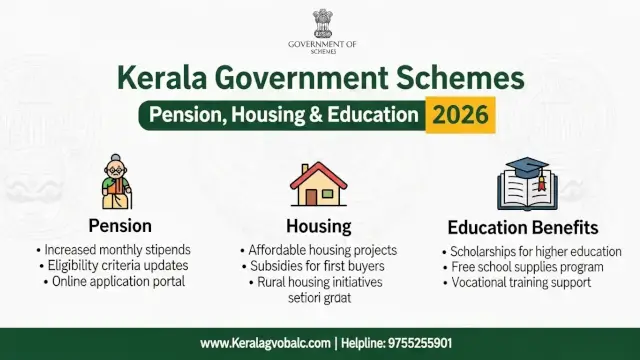
This guide to Kerala government schemes 2026 is a source-controlled directory rather than a promise of eligibility. It separates what an official page confirms from what an applicant must still check with the department, local body, employment portal, or scheme-specific office. A government website can list a programme without proving that every application window, district quota, or benefit amount is open today.
The Directorate of Social Justice says it is the state machinery and nodal implementing organisation for programmes of the State Government and Central Government, and that it provides various financial assistance to people in need. [1] The Local Self Government Department lists social welfare pension categories. [2] Employment@KERALA publishes the Chief Minister's Connect to Work conditions and monthly aid. [3] These sources are more reliable for eligibility than copied lists on social media.
Readers comparing public and private digital services can also review our AI tax filing software guide and coding agent comparison. The common lesson is to identify the original system of record before acting on an automated summary.
What You'll Learn:
- Which official Kerala portals are relevant for pensions, social assistance, and employment support
- What the Connect to Work page confirms about aid, age, income, education, and training
- How to verify housing, health, education, and pension details before relying on a benefit claim
- How to create an application record with documents, acknowledgement, status checks, and escalation
What Kerala Government Schemes 2026 Actually Covers
Kerala government schemes 2026 is a broad search phrase, not the name of one programme. Kerala departments administer different forms of social assistance, pensions, housing support, health protection, education aid, and employment assistance. Eligibility can depend on age, income, disability, residence, category, employment status, course, local-body jurisdiction, or an approved registration.
An applicant should therefore begin with the benefit category and then identify the department. A pension question belongs on an official welfare-pension or local-body route. A skill-training assistance question belongs on the employment portal if that is where the notice is published. A social-justice question belongs on the Social Justice Department directory or its scheme-specific page.
The official source may provide a scheme title and a high-level description while a separate notice defines the current documents, closing date, selection method, or payment route. Do not combine an old amount from one page with a new eligibility rule from another page. Save the source URL and the date you checked it.
| Need | First official route | What to confirm |
|---|---|---|
| Welfare pension | Local Self Government Department | Category, local-body process, documents, and payment status |
| Social assistance | Social Justice Department | Scheme-specific eligibility, application form, and implementing office |
| Skill or competitive-exam aid | Employment@KERALA | Notice period, qualification, income, age, and registration conditions |
| Housing, health, or education | Owning department or mission portal | Current circular, benefit rules, district route, and approved documents |
Use Official Kerala Portals Before Applying
The Social Justice Department describes its Directorate as the nodal implementing organisation for state and central programmes. [1] Its scheme directory is a starting point for social assistance, but the directory alone is not a complete approval order. Open the scheme-specific page, application form, or department notice before preparing a file.
The Local Self Government Department's welfare-pension page lists Agriculture Labour Pension, Indira Gandhi National Old Age Pension, Indira Gandhi National Disabled Pension Scheme for mentally challenged persons, Indira Gandhi National Disabled Pension Scheme for physically challenged persons, Pension to Unmarried Women above 50 years, and Indira Gandhi National Widow Pension Scheme. [2] The list tells an applicant which categories exist on that page. It does not by itself confirm the current monthly rate or an individual's qualification.
For employment assistance, the official Employment@KERALA notice is more specific. It identifies the Chief Minister's Connect to Work Scheme, describes financial assistance for skill training or competitive-examination preparation, and gives eligibility conditions in English. [3] Use the official page rather than a copied article when the income ceiling or application method matters.
Government portals can have separate English and regional-language sections, PDF notices, and district-level contacts. Check that the URL is an official government domain, that the notice names the department, and that the page is not an advertisement asking for a private payment. Our analysis of AI and employment decisions provides related context, but it is not an application source.
Social Welfare Pensions Listed by Local Bodies
The Local Self Government Department's official page is useful because it names the welfare-pension categories instead of forcing an applicant to rely on a third-party list. [2] The categories cover agricultural labour, old age, disability, unmarried women above 50 years, and widow support. The disability section is separated into mentally challenged and physically challenged categories on the page.
Use the category name carefully. A person who is elderly may not qualify under every old-age or widow category. A disability pension can involve a medical certificate, percentage threshold, local verification, or a specific form. Those conditions should be read from the scheme or local-body instructions that apply to the applicant's situation.
Before a pension application, prepare a record of the applicant's name as it appears on identity documents, local address, bank details, category evidence, income or family information if requested, and any certificate named by the official form. Do not upload documents to a link received through an unverified message. Open the official portal directly and compare the contact details.
Payment delays can have several causes, including incomplete verification, a bank-account mismatch, a local-body correction, or a change in beneficiary status. An AI assistant or private agent may help organise a checklist, but only the department or authorised local body can confirm an application decision.
Chief Minister's Connect to Work Scheme
The official Employment@KERALA page states that the Chief Minister's Connect to Work Scheme is intended to support young people through skill development and improve employment prospects. It says participants in skill training or those preparing for competitive examinations will receive financial aid of ₹1000 per month for one year. [3]
The same official page lists the qualifying education and preparation routes. It refers to registrants who have passed +2, VHSE, ITI, Diploma, or Degree and are studying a skill-enhancement course or preparing for competitive examinations. The listed examination routes include UPSC, State PSC, Service Selection Board, Defence, banks, railways, and other central or state public-sector recruitment agencies. [3]
This benefit should not be described as a general unemployment pension or an unconditional payment. The page links the aid to skill training or competitive-examination preparation and sets additional eligibility conditions. An applicant should read the live notice, confirm registration status, and follow the portal's current instructions.
Because notices can be revised, retain a copy of the page or PDF used for the application. If the portal shows a different amount, duration, or qualification, the live official notice should control. Do not rely on an old social-media screenshot or a search snippet.
Who Can Qualify for Connect to Work
Employment@KERALA lists an age range of 18 to 30 years and an annual family-income ceiling of not more than ₹5,00,000 for the Connect to Work notice. [3] It also states that the candidate must have passed +2, VHSE, ITI, Diploma, or Degree and must be studying a skill-enhancement course or preparing for a qualifying competitive examination.
These conditions should be checked together. Meeting the age range without the required education or training status is not enough. Having the qualification without the required registration or preparation route is also not enough. The official page should be read for the current application window, residence requirement if shown, and any certificate format.
| Condition | Official page states | Applicant should verify |
|---|---|---|
| Age | 18 to 30 years | How age is calculated and which date is used |
| Family income | Not more than ₹5,00,000 annually | Certificate format, issuing authority, and assessment period |
| Education | +2, VHSE, ITI, Diploma, or Degree passed | Whether the certificate and course are accepted by the notice |
| Current activity | Skill-enhancement course or competitive-exam preparation | Proof of enrolment, registration, or examination preparation |
The notice is an official source for the listed conditions, not a guarantee of selection. If the portal rejects an application, preserve the error message and acknowledgement number. Contact the department or authorised portal helpdesk through the published channel instead of paying an intermediary to “approve” the form.
Documents and Application Evidence
A strong application file is built around the form's own document list. The verified Connect to Work page establishes the programme objective, aid, age, income, education, and training or examination conditions. [3] It does not, in the fetched text, provide a universal document list for every applicant. That list must be checked on the live application workflow or notice.
Prepare only the documents requested by the official form. Common identity, education, income, bank, residence, registration, and training records may be relevant, but do not treat that general list as a confirmed requirement for every scheme. If a document is unavailable, ask the issuing office how to obtain the accepted replacement.
Use clear file names and keep the original documents safely. A submission folder can include the official notice, completed form, uploaded files, payment or acknowledgement record if any, date of submission, and every status message. Redact unnecessary personal numbers before sharing a file for informal help.
For digital forms, confirm the domain before entering a mobile number or identity information. A government portal may use an external service for authentication, but the page should identify the official connection. Our guide to AI systems and rights is a separate technology article, not a substitute for department instructions.
Housing Support: Verify LIFE Mission Details
Housing assistance is often discussed under LIFE Mission and related local-government programmes, but a broad article should not turn a scheme name into a confirmed payment promise. The Local Self Government Department lists housing schemes in its scheme directory, while the fetched Social Justice page explains the Directorate's role in implementing assistance programmes. [1] [2]
Before relying on a housing claim, confirm the current mission or department page, beneficiary category, housing status definition, local-body survey or list, sanction stage, instalment conditions, construction requirements, and the office responsible for verification. A benefit amount can differ by category or circular. It should be copied from the current official notice, not from a generic list.
Applicants should keep land or residence evidence, local-body records, category or income certificates where required, bank details, and any survey or beneficiary reference. Do not submit a housing application through a private website merely because it displays a government logo.
Our multimodal technology guide discusses how to check information across sources. For housing, the controlling source is the mission, department, or local body that issues the sanction.
Health and Medical Assistance: Check the Current Rule
Health assistance is especially sensitive because eligibility, empanelled hospitals, package limits, identity verification, and referral rules can change. The existing article named several Kerala health programmes and quoted amounts that were not confirmed by the official pages fetched for this rewrite. Those exact amounts are therefore not repeated here as current facts.
Use the official health department, insurance mission, or hospital-empanelment portal for the current rule. Confirm whether the programme is insurance, reimbursement, a treatment fund, a hospital referral, or a direct assistance route. Check the covered beneficiary group, required card or certificate, hospital list, pre-authorisation process, exclusions, and grievance channel.
Do not pay a person who promises to add a name to a beneficiary list. Do not share a one-time password with an intermediary. If an urgent treatment issue is involved, contact the hospital helpdesk and the official scheme authority directly. This article cannot assess medical eligibility or guarantee payment.
Readers who use digital tools to organise records can also review our coding-agent controls guide. An automated checklist may reduce missing fields, but a health authority still decides under the applicable programme rules.
| Health or assistance check | Confirm on the official portal | Do not assume |
|---|---|---|
| Programme type | Insurance, reimbursement, treatment fund, or referral route | That every named scheme uses the same process |
| Beneficiary status | Card, certificate, residence, income, or category rule | That a general Kerala resident automatically qualifies |
| Provider access | Empanelled hospital, authorised office, or local-body route | That a private intermediary can approve an application |
| Current rule | Latest department notice, contact, and grievance channel | Old benefit amounts or expired deadlines |
Education and Skill Support
Kerala's official scheme directories include education and skill-related assistance, but the eligibility rule depends on the department and target group. The Social Justice Department describes its Directorate as the implementing machinery for state and central programmes and lists financial assistance as part of its work. [1] The Connect to Work page separately confirms aid for eligible skill-training participants and competitive-examination preparation. [3]
For education assistance, identify the student category, course, institution, income or community condition if any, and the portal that accepts the form. Confirm whether the award is a scholarship, fee support, hostel support, training aid, or reimbursement. Do not merge the rules of a social-justice scholarship with the rules of an employment-training notice.
For Connect to Work, keep the proof that links the candidate to the skill course or competitive-examination preparation. The official notice lists accepted education levels and named examination routes. [3] If the course provider or examination is not clearly covered, obtain confirmation before filing a claim.
Our AI finance comparison explains why product labels should not replace eligibility checks. The same principle applies to a scholarship or training benefit.
How to Check Status and Follow Up
After submission, create a simple status record. Write down the scheme name, portal, application or acknowledgement number, date, local-body or department office, documents submitted, and the next expected action. If the portal provides a status page, use the same spelling and mobile details used in the application.
A delayed status does not automatically mean rejection. It may indicate document verification, local inspection, beneficiary-list processing, bank validation, or a request for correction. The correct follow-up channel depends on the programme. Use the contact or office named in the official notice, not an unverified phone number in a forwarded message.
If the system displays an error, save a screenshot with the date and URL. If a payment or certificate is involved, keep the transaction or acknowledgement record. When contacting an office, ask a specific question about the missing step and record the response. Avoid sending full identity documents again unless the authorised office asks through a secure channel.
| Stage | Record | Follow-up question |
|---|---|---|
| Before submission | Official notice, eligibility, and document list | Is this the current route for my category? |
| Submission | Application, acknowledgement, date, and uploaded files | Was the form accepted by the portal? |
| Verification | Status message, correction request, or local contact | Which exact field or document needs action? |
| Decision or payment | Sanction, rejection, payment, or appeal record | What official review or grievance route remains? |
Avoid Expired Claims and Scheme Scams
Government scheme articles become unsafe when they present an old amount, age rule, or deadline as permanent. A page may be indexed long after its notice has expired. Check the publication or update date, the department domain, the scheme-specific notice, and whether the application link is still active.
Watch for claims that combine a real scheme name with an invented payment, a guaranteed approval, or a private registration fee. The official Connect to Work page gives a monthly aid amount and one-year duration, but that does not authorise a third party to collect money or promise acceptance. [3]
Do not share an OTP, bank password, card PIN, or full identity document with a caller who claims to be from a scheme office. Use the portal opened from the official government domain. If a link redirects to an unfamiliar domain, stop and verify the relationship before entering data.
For a related discussion of automated claims and evidence, see our AI infrastructure analysis. A credible scheme guide should show what is verified and what remains to be checked.
A Practical 2026 Application Checklist
Start with the official category page. For pensions, inspect the Local Self Government Department list and then identify the local-body route. For social assistance, use the Social Justice Department directory and open the scheme-specific instructions. For Connect to Work, use Employment@KERALA and check the age, family-income, education, training, and examination conditions shown there. [1] [2] [3]
Next, compare every important number with the current notice. The verified Connect to Work page states ₹1000 per month for one year, age 18 to 30 years, and annual family income not more than ₹5,00,000. [3] Those figures belong to that official notice. They should not be copied into unrelated pension, housing, health, or education schemes.
Then prepare a document and status record. Submit only through the official route, save the acknowledgement, and follow up using the published contact. If the details conflict across official pages, treat the matter as unresolved and ask the responsible department which instruction controls.
The best Kerala government schemes 2026 guide is not the one with the longest list of benefits. It is the one that helps an applicant identify the responsible department, distinguish a verified rule from an old claim, protect personal information, and preserve evidence of every application step. Rules and amounts can change, so recheck before acting.
For readers comparing government information with automated tools, our AI credit tools guide and AI rights guide provide related source-checking context. Neither replaces the official Kerala department or portal.
Frequently Asked Questions

SK Jabedul Haque
Building India's most trusted finance education platform — simplifying news, schemes and market trends so anyone can understand and invest confidently.
Read full bio


Never miss an update
Get our clearest explainers on schemes, markets and money — read what matters, without the noise.
Explore more articles