Claude Code vs Cursor: Which AI Coding Agent Wins for Indian Developers?
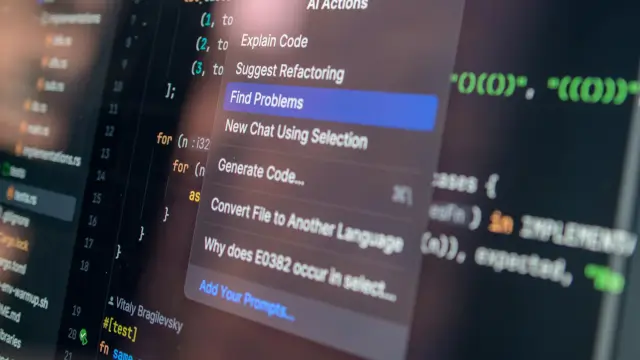
Claude Code vs Cursor is best understood as a workflow comparison rather than a fixed ranking. Both products can help developers inspect a codebase, plan a change, edit files, and review results. The practical difference is where the developer prefers to work and how much control is needed at each step.
Anthropic's official Claude Code page describes work from a terminal, IDE, web, Slack, and other surfaces. Cursor's official documentation describes an AI editor and coding agent with codebase understanding, planning, bug fixing, review, rules, skills, MCP, command line tools, and cloud agents. These are provider-described capabilities, not an independent benchmark.
Read the official Claude Code product page and the official Cursor documentation. Product features, model options, usage limits, privacy terms, and plan access can change after this article is published.
What You'll Learn
- How Claude Code and Cursor describe their coding workflows.
- Which tool fit depends on terminal, editor, review, and collaboration habits.
- How to compare codebase context, permissions, integrations, and extensibility.
- How to test a tool without treating a product demo as a benchmark.
What Kind of Tools Are Claude Code and Cursor?
A coding assistant usually helps with a focused task such as completion, explanation, or a small edit. A coding agent can work through a larger request by examining files, planning steps, calling available tools, making changes, and reporting what it did. The amount of autonomy depends on the product, the permissions, the prompt, and the developer's review process.
Claude Code is positioned as a coding agent that works directly with a codebase and existing developer tools. Cursor is positioned as an AI editor and coding agent that can understand a repository, plan work, build features, fix bugs, and review changes. The labels overlap, so compare the actual workflow instead of relying on the product category.
Neither product removes the need for version control, tests, code review, secrets management, or a clear change request. An agent can make a fast edit that is still wrong for the application. Our Codex versus Claude Code comparison offers another example of why workflow fit matters more than a single ranking.
What Do the Official Product Pages Confirm?
Anthropic's Claude Code page lists terminal, IDE, web, Slack, and other access surfaces. It also lists codebase onboarding, issue-to-pull-request workflows, multi-file edits, terminal integration, and connections with tools used in development. The page links official documentation and shows availability across macOS, Linux, and Windows.
Cursor's documentation lists code understanding, planning, feature building, bug fixing, change review, rules, skills, subagents, hooks, MCP, command line tools, cloud agents, and team integrations. Its product page shows desktop, command line, agent, Slack, and automation workflows.
| Comparison area | Claude Code official description | Cursor official description |
|---|---|---|
| Primary framing | Coding agent working with a codebase | AI editor and coding agent |
| Working surfaces | Terminal, IDE, web, Slack, and other surfaces | Editor, desktop, command line, Slack, and cloud agent surfaces |
| Repository work | Codebase onboarding and multi-file edits | Code understanding, planning, building, debugging, and review |
| Custom controls | Permissions, sessions, skills, commands, memory, and plugins | Rules, skills, subagents, hooks, MCP, and plugins |
| Evidence level | Provider product and documentation claims | Provider product and documentation claims |
The table describes product pages. It does not prove that one tool produces better code for every repository or developer.
How Should You Choose by Workflow?
Choose the interface that matches where the work already happens. A terminal-first developer may prefer a command line session with repository tools and explicit permissions. A developer who wants inline context, editor navigation, and visual diff review may prefer an editor-centred workflow. A team that needs remote sessions or collaboration should inspect the current integrations and access rules.
Test both tools on the same small task. Use a real but reversible branch, a fixed prompt, the same repository snapshot, and the same acceptance checks. Record time to first useful plan, changed files, test results, review effort, and corrections required. Do not compare a polished demonstration with an unfinished local setup.
Where Does Claude Code Fit Best?
Claude Code may fit developers who want to work close to the terminal and existing command line tools. Anthropic describes it as a way to build, debug, and ship from the terminal, IDE, Slack, web, and more. Its official page also describes repository onboarding, issue handling, multi-file edits, and connections to development tools.
A terminal-first flow can be useful when a task requires repository search, a sequence of file edits, local commands, and test output. The developer should still inspect the diff and run the project's own checks. The tool's ability to call a command does not prove that the command was safe or that the result is correct.
Anthropic's Claude Agent SDK documentation explains the distinction between the Claude Code CLI and an SDK for building agents. It describes tools, hooks, subagents, MCP, permissions, sessions, skills, commands, memory, and plugins. Those controls matter most when a team wants a repeatable development process.
Where Does Cursor Fit Best?
Cursor may fit developers who want an editor and agent in one working environment. Its official documentation describes codebase understanding, Plan Mode, debugging, design, review, rules, skills, subagents, hooks, MCP, CLI, and cloud-agent areas. The product page presents desktop, command line, Slack, and remote agent workflows.
An editor-centred flow can reduce the need to move between a code view, a prompt, a diff, and a review panel. That convenience should be tested against the team's preferred editor, repository size, language stack, and approval process. A tool may be helpful for one project and distracting for another.
Cursor's documentation also lists model choices and a models and pricing page. Because models, limits, and plan access change, check the live documentation instead of relying on a fixed list in an article.
How Do They Handle Codebase Context?
Context is the information an agent uses to understand the task. It can include file content, repository structure, instructions, dependencies, test output, version history, and the user's request. More context is not always better. Irrelevant files can confuse the task, while missing configuration files can produce an incomplete change.
Before asking either tool to edit, identify the entry points, relevant modules, configuration, tests, and acceptance criteria. Tell the tool what it may change and what it must not change. Ask for a plan first when the task crosses multiple files.
| Context check | Question for the developer | Review evidence |
|---|---|---|
| Repository scope | Which folders and files are relevant? | Agent search summary and changed-file list |
| Instructions | Are project rules and coding conventions available? | Instruction files and prompt record |
| Dependencies | Could a package or runtime assumption affect the change? | Lockfile, configuration, and install checks |
| Acceptance criteria | What behaviour must pass after the edit? | Tests, lint, type checks, or a manual check |
| Boundaries | What files, commands, or secrets are out of scope? | Permission settings and final diff |
Our agent workflow guide covers why task boundaries and review matter when multiple coding agents are involved.
Which Tool Is Better for Editing and Testing?
Both tools should be evaluated by the whole change loop, not only by the first generated code block. A useful loop includes reproducing the issue, writing or updating a test, making the smallest suitable edit, running checks, reading the diff, and recording any remaining limitation.
Claude Code's official material describes reading files, writing code, running tests, and working with command line tools. Cursor's official documentation describes finding bugs, planning, building features, and reviewing changes. These capabilities overlap, so the decisive factor may be permission flow, editor integration, or the clarity of the review output in the developer's environment.
Use a branch and keep a clean rollback path. Never grant an agent access to production credentials merely to test a local fix. If the task touches deployment, payments, user data, or database migration, require a human review before execution. If a coding tool reports a compatibility problem, our Codex error guide shows why the exact error and environment should be recorded before changing configuration.
How Do Rules, MCP, and Integrations Affect the Choice?
Rules and instruction files can tell a tool about project conventions, forbidden files, test commands, or review expectations. Hooks can run checks around an agent lifecycle. MCP can connect an agent to external tools or data. Plugins and skills can package reusable instructions or capabilities. These features can improve repeatability, but they also increase the importance of access control.
Claude's Agent SDK documentation describes MCP, permissions, sessions, skills, commands, memory, hooks, and plugins. Cursor's documentation has dedicated areas for rules, skills, subagents, hooks, MCP, plugins, and cloud agents. Compare the current implementation details rather than assuming that a feature with the same name behaves the same way in both products.
For a site or project using several AI tools, keep a provider-neutral instruction file where possible. State the source of truth, test commands, coding style, secret-handling rules, and definition of done. This makes a tool change less disruptive.
Our Llama 4 explainer provides broader model context, but it is not a substitute for checking each coding product's live documentation.
What Security and Privacy Checks Are Needed?
Before using an AI coding product, inspect what it can read, where prompts and code may be processed, how logs are retained, which integrations are enabled, and what approval is required before commands run. The correct answer depends on the provider plan, organisation policy, repository sensitivity, and applicable law.
Use a test repository when evaluating a new product. Remove secrets from sample files. Check ignore rules and file access. Review generated diffs for accidental changes to configuration, dependency versions, authentication, logging, and data handling. Treat tool output as untrusted until it passes the same checks as human-written code.
Permission controls are not a substitute for a least-privilege setup. A developer should be able to see which tools are available and which commands are allowed. A team should also know how to revoke access and review agent activity.
What About Plans, Models, and Free Access?
Plan names, model menus, message limits, file limits, command access, cloud features, and prices can change. Anthropic's official Claude Code page states that usage limits apply and that prices and plans are subject to change. Cursor directs readers to its models and pricing documentation. Do not publish a static promise that a capability is free for every user.
| Item to compare | Why it matters | How to verify |
|---|---|---|
| Free access | Limits may apply to messages, models, files, or commands | Read the current provider plan page |
| Model choice | Different models can affect quality, speed, and cost | Check the current in-product model list |
| Usage accounting | Agent actions may consume a different allowance from chat | Read current usage documentation |
| Integrations | IDE, terminal, Slack, cloud, or repository access may vary | Check official integration documentation |
| Organisation controls | Teams may require approval, audit, or data controls | Review the applicable workspace terms |
If a tool is being selected for a work project, evaluate the total cost of review, setup, and corrections, not only the subscription label. Our coding-agent cost explainer shows why usage assumptions should be checked against the current plan and context requirements.
Which Tool Should Indian Developers Choose?
There is no evidence in the official pages reviewed here that supports one universal winner for Indian developers. The better choice depends on the developer's operating system, editor and terminal habits, repository, language stack, team process, privacy requirements, and budget. Local time zone or country alone does not determine tool fit.
Use Claude Code first when terminal and codebase workflows are central, or when the documented agent and permission model fits the project. Use Cursor first when an editor-centred agent workflow, inline context, visual review, or its current integrations fit better. Try both on the same reversible task before committing to a team-wide change.
| If your priority is | Start by evaluating | Decision evidence |
|---|---|---|
| Terminal and repository commands | Claude Code CLI and permission flow | Plan quality, command safety, tests, and diff review |
| Editor-centred work | Cursor Agent and editor navigation | Context quality, inline review, and correction effort |
| Custom agent systems | Claude Agent SDK or Cursor extensibility areas | Permissions, hooks, MCP, sessions, and maintenance effort |
| Team adoption | Workspace controls and integrations | Access policy, audit needs, onboarding, and cost |
| Learning a codebase | Both tools on the same repository task | Accuracy of explanation and useful file discovery |
Keep the experiment small, record the result, and revisit the decision when the products or project requirements change.
Conclusion: Compare the Workflow, Not the Hype
Claude Code and Cursor overlap in codebase understanding, planning, editing, debugging, and review. Claude Code is presented as a coding agent that can work across terminal, IDE, web, Slack, and other surfaces. Cursor is presented as an AI editor and coding agent with repository, editor, command line, collaboration, and cloud-agent workflows.
The right choice is the one that fits the repository and the developer's review process while keeping permissions, tests, privacy, and rollback under control. A provider demo can show what is possible. A small, repeatable test on your own codebase shows whether the workflow is suitable.
Frequently Asked Questions

SK Jabedul Haque
Building India's most trusted finance education platform — simplifying news, schemes and market trends so anyone can understand and invest confidently.
Read full bio


Never miss an update
Get our clearest explainers on schemes, markets and money — read what matters, without the noise.
Explore more articles