AI Video Prompt Engineering
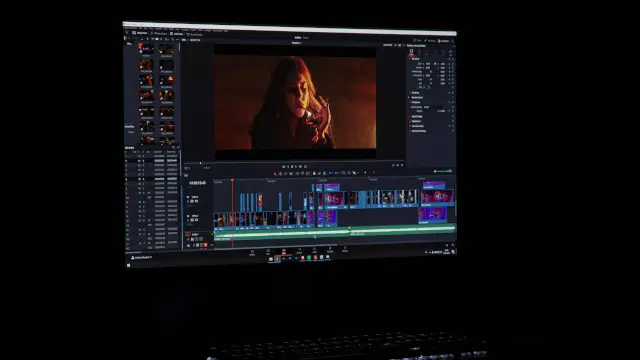
What You'll Learn
- How to turn a creative idea into a clear video shot brief.
- How subject, action, camera, light, style, sound, and timing interact.
- How Sora, Veo, and Runway differ in prompt and input guidance.
- How to test, debug, and refine prompts without mistaking variation for failure.
What AI Video Prompt Engineering Actually Controls
AI video prompt engineering is the practice of describing a visible shot clearly enough that a video model can interpret the intended subject, setting, movement, camera behavior, and sound. It is not a command language that guarantees a fixed frame sequence. OpenAI says the same Sora prompt can produce different results, while Runway recommends iteration and simple motion prompts. The practical goal is controlled variation, not identical output from every generation.
A prompt can influence the content of a shot, but some properties belong in model parameters. OpenAI's Sora guide says model, size, seconds, and character references are API fields. A sentence such as make it longer does not replace a duration parameter. Similarly, a prose request for a particular output size should not be treated as a substitute for the provider's size setting.
Good prompting reduces avoidable ambiguity. It tells the model what the viewer should see first, what moves, how the camera observes the motion, what light defines the scene, and how the clip should sound. It leaves unimportant details open so the model can contribute variation. Our AI video generator guide explains why provider pricing and output settings should be separated from subjective ranking claims.
A Five-Part Prompt Formula
Google Cloud's Veo 3.1 guide presents a useful formula: Cinematography, Subject, Action, Context, and Style and Ambiance. This is a strong starting structure for many tools. Add sound and dialogue when the model supports them, then add timing when the shot contains several beats.
| Prompt part | What to specify | Example question |
| Cinematography | Framing, angle, lens feel, camera motion, and focus | Is this a close-up with a slow push-in? |
| Subject | Appearance, identity, wardrobe, object details, and position | Who or what must remain recognizable? |
| Action | One visible movement or a short sequence of beats | What happens first, next, and last? |
| Context | Location, time, weather, props, and background activity | Where does the action happen? |
| Style and ambiance | Visual texture, lighting, palette, mood, and sound direction | What should the scene feel and sound like? |
Do not force every field into every shot. If the source image already defines the subject and composition, spend more words on motion. If the shot is generated from text alone, describe the subject and setting with enough detail to prevent unwanted substitutions. A clear short prompt can be better than a long prompt containing contradictory camera moves and unrelated actions.
Start With a Shot, Not a Topic
A topic such as a futuristic city is not yet a video direction. Turn it into a shot by choosing a subject, a location, a camera position, a single action, and a visible result. For example, replace futuristic city with a low-angle tracking shot of a courier crossing a rain-wet platform while blue train lights reflect in the puddles. The second version gives the model objects, motion, viewpoint, and light to interpret.
Runway's Gen-4 guide recommends treating each generation as a single scene and starting with a simple motion prompt. It recommends adding one element at a time after the basic motion works. This makes debugging possible because you can identify whether a camera cue, style cue, or extra action caused the result to drift.
Subject, Identity, and Reference Images
Describe the details that must remain stable, not every detail that can be seen. For a person, specify age range, hair, clothing, posture, and one or two distinctive features. For a product, specify shape, material, color, and the part that must remain readable. Keep the same identity wording across related shots. Changing a character from a navy coat to a black jacket between prompts can create a new interpretation instead of continuity.
OpenAI's Sora guide says an image input can anchor composition and style while the text prompt describes what happens next. Runway likewise says a high-quality input image establishes important visual information and recommends focusing the text prompt on motion. This division is useful: put stable appearance in the reference and use text for the movement, camera behavior, and scene reaction.
OpenAI documents reusable uploaded character references. Its guide lists reference clips of 2 to 4 seconds at 720p to 1080p in 16:9 or 9:16 and supports up to two uploaded characters in one generation. Treat those requirements as Sora-specific documentation, not a universal rule for all video models.
Write Visible Actions in Beats
Action verbs are more useful than abstract intentions. Instead of write a joyful greeting, say the subject smiles, raises one hand, and nods toward the camera. Instead of make the scene energetic, describe a cyclist pedals three times, brakes at the crossing, and looks left. A visible beat gives the model a sequence it can attempt.
OpenAI recommends one clear camera move and one clear subject action per shot. Runway similarly recommends focusing on motion and keeping a generation to a single scene. When a shot fails, remove half the actions before adding more detail. A prompt that asks for a transformation, a camera spin, a location change, and a dialogue exchange in a short clip gives the model too many competing tasks.
| Weak direction | Visible replacement | Reason |
| Make the person look confident | The subject straightens their shoulders, meets the camera, and gives a brief nod | Confidence becomes observable behavior |
| Show a fast city | The camera tracks a cyclist as traffic lights change and wet tires spray water | Speed is expressed through motion and reaction |
| Create a dramatic reveal | The camera starts behind the door and slowly cranes upward as the room appears | The reveal has a viewpoint and a timed move |
| Make the product premium | A slow turntable move reveals brushed metal edges under a narrow warm key light | Material and light replace an abstract label |
Camera, Framing, and Lens Language
Camera language gives a shot a point of view. Use wide shot for setting and spatial context, medium shot for interaction, close-up for expression or detail, and overhead or low angle when the relationship to the environment matters. Add a single movement such as locked camera, slow pan, tracking shot, dolly in, or crane rise.
Google's Veo guidance groups framing and motion as core prompt ingredients. When focus matters, describe the intended depth of field and the relationship between foreground and background. Do not list five camera moves in one short shot. Choose the move that best supports the subject action.
A useful camera line can be short: medium close-up, eye-level, slow push-in, shallow focus on the subject. Add a second cue only if the model needs it: the background remains softly blurred while the subject raises the cup. Our Kling, Runway, and Luma comparison provides broader platform context for choosing where to test the prompt.
Lighting, Style, and Palette
Style should tell the model what kind of image to build, not merely say cinematic. Name a visual reference such as documentary handheld, stop-motion miniature, film noir, or clean product commercial when it matches the brief. Then define the light direction, softness, color temperature, and a small palette.
Google DeepMind recommends describing style, lighting, characters, location, action, and dialogue. OpenAI's guide also points to camera, depth of field, lighting, palette, and sound for complex shots. Use the smallest set of cues that matters. A palette of amber, cream, and walnut brown is more actionable than beautiful colors.
When several clips must be edited together, repeat the lighting logic and identity wording. Keep the camera height, time of day, and palette stable unless the transition is intentional. This does not guarantee continuity, but it gives the model fewer variables to reinterpret.
Dialogue, Sound, and Audio Timing
Write dialogue as spoken text and keep it short enough for the selected duration. OpenAI recommends a separate Dialogue block with consistent speaker labels. Google says Veo 3 can generate dialogue and recommends explicit sound direction. Add ambient sound and effects only when they support the shot. A short line and one background cue are easier to time than a paragraph of speech and a full soundtrack.
For a dialogue prompt, describe the scene first, then add the speakers and exact lines. Example: a tired engineer sits beside a monitor in a quiet control room. The camera holds a medium close-up. Dialogue: Engineer: "The signal is stable now." Add background sound only if needed, such as a low fan hum and a single alert tone fading out.
Audio should be tested as part of the shot, not assumed from a visual result. Review whether the speaker identity, mouth movement, timing, and background sound agree. If the model does not support the requested audio mode, use a separate audio workflow and combine the files during editing.
Timing, Shot Lists, and Continuity
Timing prompts help when a short sequence needs clear beats. Use a simple time range followed by one shot, one action, and one sound cue. Google Cloud provides timestamp prompting examples for Veo 3.1. OpenAI lists Sora seconds values of 4, 8, 12, 16, and 20, while Runway's Gen-4 guide describes 5 and 10 second generations. The duration belongs to the selected tool and should be set in its interface or API.
| Time | Shot direction | Review point |
| 00:00 to 00:02 | Wide shot, the subject enters from the left as the camera tracks right | Does the subject enter on cue? |
| 00:02 to 00:04 | Medium shot, the subject stops and lifts the object toward the light | Does the object remain recognizable? |
| 00:04 to 00:06 | Close-up, a reflection moves across the surface as the subject turns | Does the camera preserve focus? |
| 00:06 to 00:08 | Slow pull-back, ambient sound rises while the subject looks toward the exit | Does the ending create a usable edit point? |
OpenAI's Sora guide says a video extension can use the full original clip as context. It documents individual extensions of up to 20 seconds, up to six extensions, and a maximum total of 120 seconds. These are Sora-specific documented limits. For other tools, check the current model guide instead of assuming that extension behavior or duration is the same.
Runway Prompt Workflow
Runway's Gen-4 guidance is direct: begin with a high-quality image, describe the motion, use positive phrasing, and avoid negative prompts. Start with the simplest motion that can prove the shot works. Then add camera movement, scene reaction, and style descriptors one at a time.
A practical Runway sequence is: upload a clean reference image, write one subject action, generate, inspect the motion, add one camera cue, and generate again. Refer to the subject in general terms such as the subject or the woman when the image already establishes identity. Do not use a conversational request such as can you add a dog. Describe the visible event instead: a dog runs into the frame from off camera.
Runway's guide describes 5 and 10 second Gen-4 outputs. Use one scene per generation and keep the prompt focused on the movement that matters. If the image is correct but the motion is wrong, change the motion wording first rather than rewriting the entire scene.
Sora and Veo Prompt Workflows
For Sora, set model, size, seconds, and optional character references in the API or interface. The prompt can then describe the shot, subject, action, camera, lighting, and dialogue. OpenAI recommends concise actions and one clear camera move with one clear subject action per shot. If identity matters, use an image or documented character reference and repeat the same descriptive anchors across shots.
For Veo, Google Cloud's five-part formula is a useful template: cinematography, subject, action, context, and style and ambiance. Add dialogue, sound effects, or ambient noise when the scene requires them. Google documents 720p and 1080p output, 16:9 and 9:16 aspect ratios, and 4, 6, or 8 second clips for Veo 3.1 in the cited guide. Confirm the current product and account configuration before using those settings.
Our AI video generator workflow guide can be used alongside this prompt method. For broader model selection, see the AI models comparison. These are internal reading links, not evidence that one provider will produce the same result for every prompt.
Testing, Debugging, and the Final Prompt Checklist
Keep a small test log with the model name, input image, prompt version, parameters, output file, and failure notes. Change one variable at a time. If the subject changes, tighten the identity description or use a reference image. If motion is weak, simplify the action. If the camera ignores the direction, shorten the prompt and place the camera cue near the action. If audio is mistimed, shorten the dialogue and separate visual and sound instructions.
| Failure | First change to test | Do not assume |
| Subject drifts | Repeat stable identity anchors and use a reference input | More adjectives will guarantee identity |
| Motion becomes chaotic | Keep one subject action and one camera move | Extra cinematic vocabulary will fix timing |
| Dialogue overruns | Shorten the line and match it to the clip duration | A longer paragraph will fit because the scene is simple |
| Lighting changes between clips | Repeat light direction, palette, and time of day | The model will infer continuity automatically |
Before export, check the prompt against the intended shot. Does it name the subject, action, camera, context, style, and sound that actually matter? Are the duration and resolution set in the provider controls? Is a reference image available when identity or composition matters? Have you saved the prompt version and the output that passed review?
AI Video Prompt Engineering is most useful when it makes decisions testable. Use official model guidance as a starting point, then build a small library of prompts that work for your own subjects, camera language, and delivery format. A structured prompt can improve control, but every production should still review outputs for motion, identity, audio, licensing, and safety.
Frequently Asked Questions

SK Jabedul Haque
Building India's most trusted finance education platform — simplifying news, schemes and market trends so anyone can understand and invest confidently.
Read full bio


Never miss an update
Get our clearest explainers on schemes, markets and money — read what matters, without the noise.
Explore more articles