AI for HVAC, Roofing & Pest Control
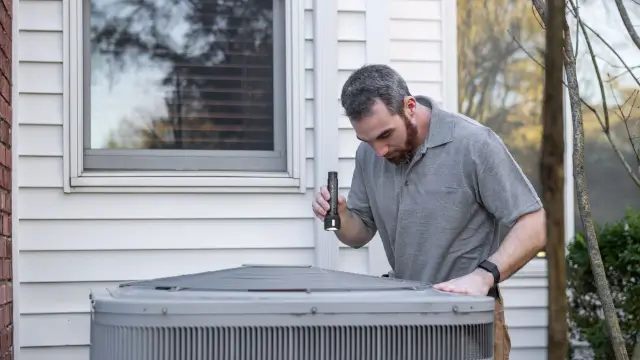
AI for HVAC, Roofing and Pest Control is moving from a general software idea into specific field-service workflows. A contractor may use an assistant to answer a customer, create a draft job, suggest a technician, measure a property, organize a route, or summarize a service record. Those actions can reduce repetitive office work, but they do not remove the need for technical inspection, price review, safety checks, or customer approval.
What You'll Learn
- Which HVAC, roofing, and pest-control tasks are suitable for AI assistance.
- What current product documentation says about scheduling, dispatch, calls, measurements, and estimates.
- Why a generated suggestion is not the same as a verified diagnosis, quote, route, or treatment plan.
- How a small contractor can test one workflow with permissions, review points, and an audit trail.
What Does AI for HVAC, Roofing and Pest Control Mean?
In this context, AI is a layer inside field-service software rather than a replacement for trade knowledge. It can classify a customer request, retrieve information from a configured account, draft a response, propose a schedule, or turn structured inputs into a work order. The software still depends on the quality of the company’s data, settings, integrations, and operating rules.
That distinction matters because a furnace complaint, a roof photograph, and a pest-control treatment request all carry different risks. A customer-service assistant may collect information and book a visit. It should not promise that a unit is safe, identify a hidden roof defect with certainty, or decide which chemical treatment is appropriate without a qualified person.
The same principle applies to estimates. An AI tool may draft an estimate from job details, photographs, or a measured property. A contractor must still check the scope, material assumptions, local requirements, labour, exclusions, taxes, and final customer approval. A fast draft can support an estimator. It is not evidence that the price or diagnosis is correct.
For a related explanation of how persistent context can work in agent systems, see AI agent memory systems explained. A field-service assistant should retain only the business and customer context that the company is permitted to use.
Which Office Tasks Are Good AI Candidates?
The strongest starting points are repetitive, reviewable, and low-risk tasks. Examples include turning an incoming call into a draft job, proposing available appointment slots, preparing a service-description draft, grouping appointments by location, summarizing technician notes, and reminding staff about incomplete records. These tasks have a visible input and a person who can accept, correct, or reject the output.
Tasks become harder to control when the software has incomplete context or can take an irreversible action. A system that sends a customer a final price, changes a route, cancels a visit, orders equipment, or recommends a treatment without review needs tighter permissions and more testing than a system that drafts an internal note.
Before buying a product, map the present workflow. Record who answers calls, who creates jobs, how estimates are checked, how technicians receive instructions, and where customer consent is stored. Then choose one bottleneck that can be measured with ordinary operational records. Avoid starting with a broad promise such as “automate the office.”
| Workflow | Useful AI assistance | Human review point |
|---|---|---|
| Inbound calls | Collect service details and create a draft job | Confirm urgency, scope, availability, and customer consent |
| Scheduling | Suggest appointment slots from configured calendars | Check technician skills, travel, parts, and promised arrival window |
| Estimating | Draft line items from job details, photos, or measurements | Verify site condition, quantities, exclusions, and final price |
| Route planning | Group visits by location and time window | Review traffic, job duration, safety, and customer commitments |
| Record keeping | Summarize notes and identify missing fields | Check that the summary matches the technician’s record |
Where AI Fits in HVAC Workflows
HVAC companies can use AI assistance at the front desk and in dispatch. A call assistant can collect the customer’s description, address, preferred time, equipment details, and service history fields. A scheduling system can then offer slots based on the calendars and rules that the business has configured. The assistant should clearly identify itself and provide a path to a human when the request is urgent, unusual, or outside the configured service area.
Dispatch is a separate decision from booking. A dispatch system may consider job requirements, technician skills, drive time, capacity, priority, and historical operating data. ServiceTitan’s official Dispatch Pro documentation describes these inputs and distinguishes an Assist Mode, where a dispatcher reviews suggested changes, from an Auto Mode, where the product assigns enabled jobs according to the configured system.
That product description does not prove that an AI dispatch suggestion is right for every company. Historical data can contain wrong skill settings, outdated service areas, unrecorded parts, or unrealistic job durations. A dispatcher should review exceptions and retain the ability to correct the board.
AI can also summarize service history or prepare maintenance reminders. It should not convert a reminder into a safety diagnosis. A technician remains responsible for inspection, testing, code compliance, repair decisions, and the work record.
How Roofing Teams Use Measurement and Estimate Drafts
Roofing workflows often begin with a property record, an inspection request, photographs, or an aerial measurement. Software can help organise those inputs and create a draft scope. QuoteIQ’s official industry material lists satellite property measurement through MapMeasure Pro and AI-powered quoting through AI Estimator among its product features.
The correct editorial and operational wording is “draft” rather than “guaranteed quote.” A photograph may miss hidden damage, roof layers, access issues, drainage conditions, or local installation requirements. Satellite imagery may be old or obstructed. A measurement tool can assist with preparation, while a qualified person verifies the property and the proposed work before the customer receives a final estimate.
Photo documentation can also improve the record between the first visit and the final invoice. The company should retain the source photographs, measurement version, estimate changes, approval history, and any site observations that explain why the final scope differs from the first draft.
Do not use a percentage accuracy claim as a substitute for inspection. The safer test is whether a trained estimator can identify and correct errors before an estimate is sent. Track corrections by type, such as missing areas, wrong material assumptions, or overlooked access work.
How Pest Control Teams Use Route Planning
Pest-control operations have recurring visits, treatment records, customer time windows, travel constraints, and safety instructions. Route-planning software can group appointments and help staff see conflicts. Customer-management software can store service history, reminders, photos, and treatment notes in one record.
Route optimisation is not only a shortest-path problem. The schedule may need to account for technician qualifications, equipment, access instructions, appointment windows, job duration, restricted sites, and the time needed for documentation. A route that looks efficient on a map can fail if it gives a technician the wrong equipment or leaves no time for a required customer explanation.
AI can draft or reorganise a route, but a supervisor should review changes that affect customer promises or treatment timing. Chemical selection, application rates, protective equipment, storage, and legal requirements remain matters for trained staff and the applicable product label or regulation. AI should never invent a treatment instruction.
For a small operator, a good pilot can start with appointment clustering and reminder drafts. Keep treatment recommendations outside the automated action until the business has tested its data, permissions, and review process.
Comparing the Documented Tool Categories
There is no single best platform for every trade. The right choice depends on the company’s size, current software, number of technicians, call volume, service mix, field connectivity, and tolerance for configuration work. Compare the workflow and control model rather than the word “AI” on a product page.
| Tool category | What it may assist with | Questions before adoption |
|---|---|---|
| AI customer service | Answering calls or chat, collecting details, and booking jobs | Can staff review transcripts, correct records, and take over calls? |
| Dispatch assistance | Technician matching, schedule suggestions, and board changes | Which skills, time windows, capacity rules, and approval modes are supported? |
| Estimate assistance | Drafting line items from job details, photographs, or measurements | Can the source input and every correction be retained for review? |
| Route planning | Appointment grouping and travel-aware scheduling | Can the supervisor lock visits and inspect why a change was suggested? |
| Business analysis | Answers, reports, follow-up drafts, and summaries | What account data is used, and can sensitive fields be excluded? |
ServiceTitan’s official Dispatch Pro documentation is an example of a product page that explains inputs and operating modes. Housecall Pro’s official AI Team page describes assistants for customer calls, job booking, scheduling, reporting, follow-ups, and marketing drafts. QuoteIQ’s official industry page describes measurement, estimating, route optimisation, photo documentation, and customer communication. These are vendor descriptions of capabilities, not independent performance tests.
Readers can also compare the site’s multi-agent AI teams guide for a broader discussion of task coordination. A contractor should not copy an enterprise architecture into a small operation without checking cost, data access, and support needs.
What ServiceTitan Dispatch Pro Actually Does
ServiceTitan’s help documentation describes Dispatch Pro as a dispatching feature for administrators, managers, and dispatchers. It says the feature can use company data, settings, predicted job value, priority, technician performance, and estimated drive time when it evaluates assignments. The description also says that the quality of its results depends on the amount and quality of historical data available to the system.
The documented Assist Mode keeps the dispatcher in the approval loop. The dispatcher can generate, review, and approve suggested optimisations for an enabled job. The documented Auto Mode can assign enabled jobs and rework the dispatch board according to the product’s configured schedule. The distinction matters because a business may prefer suggestions for unusual work and more automation for routine appointments.
Any implementation should begin with data hygiene. Check technician skills, service areas, working hours, job durations, priority rules, and travel assumptions. Test a route or assignment in a controlled period. Keep a record of suggestions that staff reject and use those corrections to improve settings rather than assuming the model will infer every local rule.
The official page also states that Dispatch Pro is primarily designed for residential service and replacement business types and works with managed technicians. That scope should be checked before a commercial, emergency, or specialist workflow is included in a purchase decision.
What Housecall Pro AI and QuoteIQ Advertise
Housecall Pro’s official AI Team page describes a customer-service assistant that can answer incoming calls and chat, book jobs, provide support outside ordinary hours, and reference service information and customer data. The page also describes tools for business analysis, recommendations, marketing copy, scheduling, reporting, and follow-ups. It states that CSR AI is sold separately, so a buyer should confirm which feature is included in the selected plan.
QuoteIQ’s official industry page presents a home-service CRM with product features for property measurement, AI-assisted quoting, route optimisation, photo documentation, scheduling, invoicing, and customer communication. That description can help a contractor identify the workflow category, but the vendor’s marketing statements do not establish a guaranteed quote, measurement result, saving, or return for an individual business.
Housecall Pro and QuoteIQ should therefore be compared by actual workflow tests. Ask each provider to demonstrate the same sample call, property record, estimate inputs, route constraints, correction process, and export. Check whether the output can be reviewed before it is sent to a customer or written to the production record.
| Vendor documentation example | Documented capability | Limit of the evidence |
|---|---|---|
| ServiceTitan Dispatch Pro | Uses configured data and settings to support or automate eligible dispatch assignments | Results depend on company data, settings, and feature scope |
| Housecall Pro AI Team | Describes call answering, job booking, scheduling, reports, follow-ups, and marketing assistance | Feature availability and plan terms must be confirmed with the provider |
| QuoteIQ industry software | Describes property measurement, AI quoting, route planning, photos, and CRM workflows | A vendor feature description is not an independent accuracy or ROI study |
| Generic AI assistant | Can draft text or organise supplied information when connected to approved tools | It may lack trade context, current prices, site evidence, or permission to act |
How to Test AI Without Losing Human Control
Run a limited pilot with one workflow and a small group of staff. Keep the existing process available while the AI output is reviewed in parallel. For example, a company can ask the assistant to draft inbound jobs for a defined service area, then compare the draft with the final record before enabling customer-facing booking.
Set explicit approval points. A customer-facing message should require a person to check the service description and promised time. An estimate should require a person to check measurements, materials, exclusions, and price. A route should require a supervisor to inspect conflicts. A treatment record should require the trained operator to verify the work and safety information.
Measure operational quality rather than publishing a headline percentage. Count corrected customer details, rejected appointment suggestions, estimate revisions, route conflicts, missing notes, and escalations. Review a sample of outputs with the person who understands the trade. If the tool creates more correction work than it removes, change the configuration or stop the pilot.
| Pilot control | Evidence to collect | Stop or revise when |
|---|---|---|
| Input quality | Required fields, source photos, calendars, and service rules | The tool repeatedly acts on incomplete or stale information |
| Approval mode | Who reviews calls, estimates, routes, and customer messages | Staff cannot see or reverse the suggested action |
| Output quality | Corrections, escalations, complaints, and missed details | Errors affect safety, price, scheduling, or customer trust |
| Audit trail | Input, suggestion, correction, approver, and final record | The company cannot explain how a customer-facing result was produced |
| Business fit | Time spent reviewing compared with time saved | The workflow adds work or depends on unsupported assumptions |
Privacy, Safety and Data Governance
Field-service records can contain names, addresses, phone numbers, access instructions, equipment details, photographs, payment information, and treatment notes. Before connecting an AI feature, identify what data it receives, where it is stored, who can access it, how long it is retained, and whether the provider uses it to improve a shared model.
Use role-based access. A call assistant may need enough information to book a visit, but it may not need payment details or the full customer history. A field technician may need site and equipment records, but not every internal report. Remove unnecessary data from prompts and exports. Review provider terms and the company’s legal obligations before enabling a new integration.
Safety controls must be specific to the trade. HVAC work may involve electrical, gas, refrigerant, combustion, or high-temperature hazards. Roofing work involves height, weather, structure, and access risks. Pest-control work involves labels, exposure controls, storage, and customer instructions. AI can organise a checklist, but qualified staff must decide whether work is safe and compliant.
For a broader technology governance reference, the NIST AI Risk Management Framework offers a public framework for managing AI risks. It is not a substitute for trade regulation, provider terms, or professional judgement.
What AI Cannot Verify for a Contractor
An AI system cannot inspect a hidden HVAC fault from a short customer description, confirm every roof layer from one photograph, or determine a pest treatment without the site facts and applicable instructions. It can help sort information, but the quality of the result is bounded by what the system can see and what the company has configured.
It also cannot guarantee a profitable schedule. A route may change because a customer is unavailable, a job takes longer, a required part is missing, or a technician needs help. A draft estimate may change after inspection. A call assistant may misunderstand an accent, an urgent symptom, or an unusual property condition.
Do not let a product page substitute for a trial. Ask for the provider’s documentation, security terms, service limits, support process, export options, and cancellation terms. Test realistic records. Include difficult cases rather than only clean examples. Keep a human escalation path visible to both staff and customers.
For another source-grounded technology case study on how vendors describe security and capability boundaries, see the ExploitBench analysis and the EU AI Act compliance tools guide. These related articles should be treated as separate topics, not as proof that a trade tool is compliant or secure.
Conclusion: Start with One Workflow
AI for HVAC, Roofing and Pest Control is most useful when it assists a defined task and leaves a qualified person responsible for the result. Current vendor documentation supports practical use cases in customer calls, job booking, scheduling, dispatch, measurement, estimate drafting, route planning, reporting, and follow-up. It does not verify the unsupported ROI, accuracy, savings, or job-displacement claims found in the original article.
Start with one workflow, use a review mode, protect customer data, and keep an audit trail. Compare products by the inputs they use, the actions they can take, the permissions they require, and the ease of correcting an error. A contractor should adopt automation only when the business can explain the process to staff and customers. The site’s Google I/O 2026 overview provides a separate example of how product announcements should be separated from verified capabilities.
The goal is not to replace trade expertise. The goal is to remove repetitive coordination while preserving inspection, safety, pricing judgement, customer consent, and accountability.
Frequently Asked Questions

SK Jabedul Haque
Building India's most trusted finance education platform — simplifying news, schemes and market trends so anyone can understand and invest confidently.
Read full bio


Never miss an update
Get our clearest explainers on schemes, markets and money — read what matters, without the noise.
Explore more articles