Ayushman Card Online Kaise Banaye?
What You'll Learn
- What the Ayushman Card represents under Ayushman Bharat–PM-JAY.
- How to begin an eligibility and card-creation check through official government surfaces.
- Which identity and beneficiary-record cautions matter before e-KYC or download.
- How to verify hospital coverage, protect personal information and handle an unresolved issue.
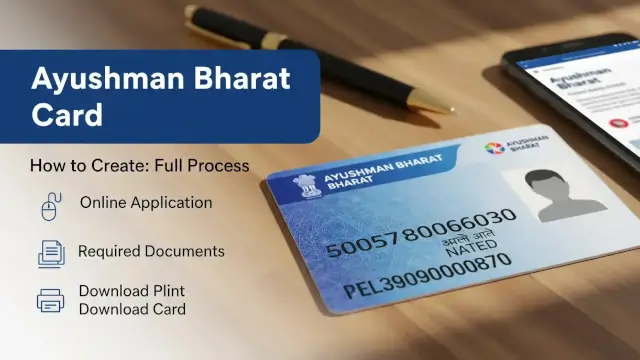
Ayushman Card online guidance must begin with a distinction. The card is not a universal health-insurance card that automatically approves every applicant or every medical service. It is connected to eligibility and beneficiary records under Ayushman Bharat–Pradhan Mantri Jan Arogya Yojana, commonly called PM-JAY. The official Government of India Ayushman App listing says the app can be used to make an Ayushman card and describes free treatment up to ₹5 lakh.
The same official listing describes PM-JAY as a scheme providing cashless secondary and tertiary care treatment through empanelled public and private hospitals. It says the scheme covers more than 10 crore poor and vulnerable beneficiary families. These are scheme-level descriptions from the official app listing. They do not confirm that a particular person is eligible, that a particular hospital is empanelled or that a claim will be approved.
The official starting points are the PM-JAY portal and the Ayushman App listing published by the National Health Authority. For general publication context, see the Current Affair homepage. The PM-JAY homepage could not be fully fetched during this research session, so the current screen labels and workflow should be checked directly when the reader opens the portal. Do not rely on a third-party form that asks for unnecessary documents, payment or account credentials.
What is the Ayushman Card under PM-JAY?
PM-JAY is a public health-protection scheme. An Ayushman Card is the beneficiary-facing identity and access document used within the scheme’s process. The official app description connects the card with treatment benefits for eligible beneficiaries. The card itself should not be confused with ABHA, which is a separate digital-health identity concept. A health record ID and a treatment-coverage entitlement serve different purposes.
The official app listing says PM-JAY provides cashless secondary and tertiary care through empanelled public and private hospitals. In practical terms, the beneficiary should verify the hospital and treatment package through an official or hospital-authorized channel before relying on the card. Coverage language at scheme level does not replace a hospital’s eligibility, pre-authorization or package verification.
The ₹5 lakh figure should also be read as the scheme-level coverage description in the official app listing, not as a promise of cash payment to every person. The actual use of a benefit can depend on beneficiary status, the package, the hospital, the state’s implementation process and the applicable rules at the time of treatment.
For readers comparing public-benefit procedures, our Government Schemes section contains related explainers. It is still necessary to verify the current official process because portals, app versions and state-level implementation details can change.
How to start an Ayushman Card online check
The safest process is a verification sequence rather than a promise of instant card generation. First, open the official PM-JAY portal or the official Ayushman App published by the National Health Authority. Confirm the domain, app publisher and privacy permissions before entering personal information. The Play Store listing identifies the developer as the National Health Authority.
Next, look for the beneficiary or eligibility option displayed by the official surface. The exact button name may change. Use the identity and beneficiary details requested by that surface, and enter them carefully. A result showing no record is not a basis for guessing, uploading random documents or paying an intermediary. It means the reader should review the details and use the official support route displayed on the portal or app.
If the system shows a beneficiary record, follow only the next steps shown on the official screen. The process may request identity verification or e-KYC. A reader should not share an OTP, biometric access or full identity document with an unverified caller. If a family record contains an error, the correction route should be obtained from the official channel rather than invented from a blog post.
After any official verification is completed, use the card-download or view option shown by the portal or app. Save the copy securely and check that the name and other visible details are correct. A download screen is evidence that the digital document was generated. It is not, by itself, evidence that every future treatment or claim is approved.
What the official Ayushman App can and cannot confirm
The official Google Play listing describes Ayushman as a Government of India mobile application from the National Health Authority. It says beneficiaries can use the app to make an Ayushman card and get free treatment up to ₹5 lakh under PM-JAY. The listing was shown as updated on August 12, 2026 during the research session.
| Question | What the official app listing supports | What still needs verification |
|---|---|---|
| Who publishes the app? | National Health Authority | Confirm the publisher before installing an app with a similar name. |
| What can a beneficiary use it for? | Making an Ayushman card and accessing PM-JAY-related benefits | The options available for the individual record. |
| What benefit is described? | Free treatment up to ₹5 lakh | Eligibility, package, hospital and applicable state rules. |
| What treatment network is described? | Cashless secondary and tertiary care through empanelled public and private hospitals | Whether a specific hospital and treatment are covered. |
| What should not be assumed? | A listing description is not a personal approval decision. | Beneficiary status and treatment authorization through official channels. |
App-store information is useful for identifying the official publisher and broad purpose, but it is not a substitute for the live beneficiary workflow. App reviews may describe individual technical experiences, yet they are not official eligibility rules. Readers should not treat a review, social-media post or forwarded message as confirmation of a benefit.
Our author page explains the editorial context for government-scheme explainers. It does not replace the National Health Authority, the PM-JAY portal or an authorized hospital’s instructions.
Eligibility: why the portal result matters
PM-JAY eligibility is record-based. A general article cannot safely declare that every low-income household, every Aadhaar holder or every resident qualifies. The official surface must be used to check the beneficiary record and current rules. Different states and beneficiary categories may have implementation details that are not visible in a generic national summary.
Readers should enter only the information requested by the official portal or app. If the name, family record or identity details do not match, stop before repeated attempts create confusion. Check spelling and the selected state or record details, then use the official correction or support route displayed by the government surface.
A result can also require an additional verification step. The presence of a name in a search result does not necessarily mean the card is already generated, and a pending e-KYC step does not prove that treatment authorization has been issued. Keep any official reference or acknowledgement shown by the portal, but do not publish it or share it publicly.
The old version of this article treated a particular database, a fixed income test and a universal document list as if they applied to every applicant. That certainty was unsafe. Eligibility should be explained as the outcome of the official beneficiary check and applicable scheme rules, not as a conclusion inferred from a person’s Aadhaar, occupation or income alone.
Documents and identity safety before e-KYC
The exact documents and verification method should be taken from the current official screen. The reader may be asked to verify an identity or beneficiary record, but a blog should not promise that one document, one mobile-number condition or one biometric method will apply to every record.
| Before starting | Safe practice | Do not assume |
|---|---|---|
| Official surface | Use the PM-JAY portal or National Health Authority app listing. | Every similarly named app or website is official. |
| Identity details | Enter only information requested by the official workflow. | A third party needs the full document or OTP. |
| e-KYC | Read the consent and verification screen before continuing. | Every applicant must use the same method or device. |
| Family record | Check the displayed name and relationship details. | A card is approved merely because a search result appears. |
| Download | Review the digital card before saving it securely. | A screenshot or forwarded image is a substitute for official verification. |
Never share a one-time password, biometric access or account login with someone who contacted you unexpectedly. An official-looking logo does not establish authenticity. If a service provider asks for a payment or demands an unnecessary document, ask the official portal or app for the approved process and retain the details of the request.
Use a secure device, avoid public computers for identity verification when possible and sign out after completing the process. Do not post an Aadhaar number, QR code, mobile number or card image on social media. If a document has to be printed for a hospital, share it only with the authorized desk and follow the hospital’s privacy process.
How to use the card at an empanelled hospital
The official app listing describes cashless treatment through empanelled public and private hospitals. Before admission, confirm that the hospital is part of the applicable network and ask its authorized PM-JAY desk whether the proposed treatment package is covered. The hospital’s verification process is important because the national coverage description does not identify every hospital, package or authorization result.
Carry the digital or printed card only through a secure channel and show the identity details requested by the hospital. Ask for a written or digital explanation if the desk says that a package is not available, requires authorization or is outside the applicable rules. Do not assume that every charge is covered simply because the hospital displays a scheme logo.
Keep copies of the admission reference, discharge documents and any official communication. If the hospital and portal show inconsistent information, record the date, hospital name and reference number, then use the official support channel shown by the portal or app. Avoid publishing private documents while seeking help online.
For another government-benefit workflow, readers may consult our NPCI account-update explainer. The same rule applies: verify the record and the official channel before acting.
Common Ayushman Card problems and safe next steps
| Problem | Safe first check | What not to do |
|---|---|---|
| No beneficiary record | Review the official entry and selected details, then use the displayed support route. | Do not infer approval from income or Aadhaar alone. |
| Details do not match | Compare the official record with identity and family information. | Do not upload altered documents or ask an intermediary to bypass checks. |
| e-KYC does not complete | Read the error message and follow the official retry or assistance option. | Do not give an OTP or biometric access to an unverified person. |
| Card is not visible | Check the official account or beneficiary surface again and retain any reference. | Do not treat a screenshot or forwarded PDF as proof of approval. |
| Hospital refuses or disputes coverage | Ask for the authorized PM-JAY desk and the reason or reference. | Do not assume that every service is automatically cashless. |
| Payment is demanded | Verify the official fee and complaint instructions on the portal or app. | Do not pay an unknown agent simply to create a card. |
Support information can change, so this article does not hard-code a phone number, SMS code, social-media handle or response-time promise. The official PM-JAY portal and the NHA-published app should be used to obtain the current support route. If the official surface is unavailable, wait for it to return or use a verified government channel rather than a copied contact number.
Readers should also distinguish a technical issue from an eligibility decision. A failed login, an unavailable service or a document-upload error does not prove that the person is ineligible. Conversely, a successful login does not guarantee that a treatment package has been authorized. Record the exact message and seek clarification through the official route.
Ayushman Card and ABHA are not the same
Ayushman Card and ABHA should not be used interchangeably. The official Ayushman App listing describes the Ayushman card in connection with PM-JAY treatment benefits. ABHA is associated with a digital-health identity and health-record access. A person may encounter both names in a health technology environment, but creating one does not automatically prove eligibility for the other.
This distinction prevents a common mistake. A digital health identity can help organize records, while PM-JAY eligibility determines access to scheme benefits. Readers should use the official surface that matches the task and read its consent, privacy and eligibility language before sharing details.
Our Government Schemes archive is a useful starting point for related public-program explainers, but each scheme has its own rules. Do not transfer a document list, deadline or contact method from one government program to another.
What this guide can safely tell you
This guide can direct a reader to the official PM-JAY portal and the National Health Authority’s Ayushman App listing. It can explain the official app’s description of free treatment up to ₹5 lakh and cashless secondary and tertiary care through empanelled public and private hospitals. It can also explain why a beneficiary check, current workflow and hospital verification are necessary.
It cannot determine whether a particular reader is eligible, guarantee that a card will be generated, promise treatment approval, state that a hospital will accept a card or prescribe a fixed document and timing rule for every case. Those decisions belong to the official beneficiary system, the applicable scheme rules and the authorized hospital process.
For a live check, begin at pmjay.gov.in or identify the NHA publisher on the official app listing before installing the app. Use the result shown for the actual beneficiary record, protect identity information and retain official references. If the result is unclear, stop and seek assistance through the official route rather than relying on an unofficial promise.
Conclusion: verify first, then create or use the card
The safest answer to “how to make an Ayushman Card online” is not a fixed promise of five minutes, instant approval or one universal document list. The official Ayushman App says beneficiaries can create an Ayushman card and access PM-JAY-related benefits, including free treatment up to ₹5 lakh as described in the listing. Eligibility and treatment use still require the official record and applicable process.
Start with the PM-JAY portal or the NHA-published app. Check the displayed beneficiary result, complete only the verification steps shown there, review the generated details and confirm hospital coverage before treatment. Keep personal documents private and use the current official support route for a mismatch, technical issue or disputed service.
Frequently Asked Questions

SK Jabedul Haque
Building India's most trusted finance education platform — simplifying news, schemes and market trends so anyone can understand and invest confidently.
Read full bio


Never miss an update
Get our clearest explainers on schemes, markets and money — read what matters, without the noise.
Explore more articles