Annapurna Bhandar Payment Not Received? 10 Reasons and Fixes
What You'll Learn
- How to separate scheme status, bank validation, Aadhaar seeding, NPCI mapping, and payment credit.
- What an inactive mapper, wrong bank, mismatch, or returned transaction actually tells you.
- Which correction belongs to the bank and which belongs to the scheme or local authority.
- How to raise a useful complaint without trusting unsupported 72-hour or 3-7 day promises.
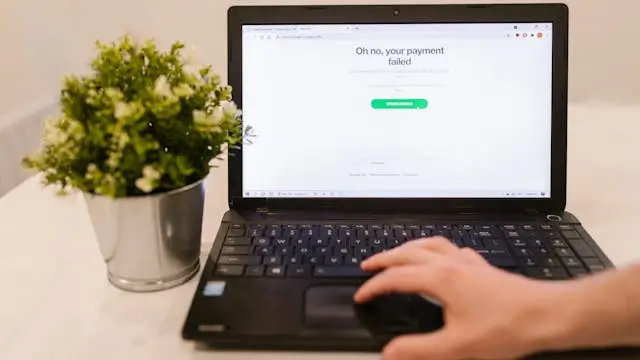
If your Annapurna Yojana payment not received message is worrying you, the first mistake is assuming that every failed credit has the same cause. A payment can be delayed before the payment file is created, rejected during beneficiary or bank validation, returned by the destination bank, or held because the scheme record is not ready.
The official West Bengal scheme name is Annapurna Yojana, not Annapurna Bhandar. The Government of India myScheme listing says eligible women receive ₹3,000 per month through DBT to an Aadhaar-linked bank account. Existing Lakshmir Bhandar beneficiaries are migrated subject to prescribed conditions. Those facts do not mean that a bank link alone proves approval or payment. [1] [2]
The DBT Bharat payment SOP separates beneficiary identification and enrolment, validation or registration, payment-file generation, payment processing, destination-bank credit, and the return response. That is why a practical troubleshooting guide must identify the failed layer instead of calling every problem an NPCI error. [3]
Why an Annapurna payment can be missing
A missing credit is an outcome, not a diagnosis. The scheme system may still be checking eligibility or migration. The beneficiary record may fail bank or Aadhaar validation. The bank may have Aadhaar in its core system while the NPCI mapper is not active. The payment file may be pending, or the destination bank may return the transaction.
The customer usually sees only a short message such as pending, failed, rejected, inactive, or not credited. Each word needs context. A bank status and a scheme status are not interchangeable. A PFMS or payment-status tool may also be relevant only when the particular scheme exposes its data through that system.
| Layer | Possible issue | Responsible route |
|---|---|---|
| Scheme record | Eligibility, migration, verification, or sanction pending | Scheme department or authorised local office |
| Beneficiary validation | Name, Aadhaar, or record data does not validate | Institution named in the response, often bank or scheme office |
| Bank and mapper | Account link, consent, or NPCI mapping is missing or inactive | Account-holding bank and its escalation cell |
| Payment processing | File, debit, credit, or return response is pending or failed | Scheme payment system, sponsor bank, or destination bank |
| Destination account | Account is closed, restricted, inactive, or incorrectly identified | Destination bank |
Do not label one of these causes as “the most common” unless the responsible system has given that reason. The old article’s claim that every failure is a technical DBT glitch is not supported.
Check the scheme record before changing the bank
First confirm that you are an eligible or migrated beneficiary under Annapurna Yojana. A bank cannot correct a scheme exclusion, a pending enquiry, or a record that has not yet been approved. Existing Lakshmir Bhandar beneficiaries are migrated subject to conditions, and new applicants follow the official Social Registry process.
Use the official department or scheme channel for the record question. Do not treat a private website’s beneficiary list, a social-media screenshot, or an AI answer as proof of sanction. Write down the application or beneficiary reference if one exists and ask which stage is pending.
This check prevents a common wrong move. Some readers change their bank account when the actual issue is scheme verification. Others submit a fresh Aadhaar request when the scheme record is not yet ready for payment. Fix the layer that produced the status.
The Lakshmir Bhandar to Annapurna Yojana migration guide explains the record and exclusion side. The Annapurna DBT link guide explains the bank-routing context. This article focuses on diagnosing a missing credit after or during that process.
Check Aadhaar bank seeding and NPCI mapping
Use the official UIDAI myAadhaar Bank Seeding Status service or the current NPCI BASE route. UIDAI’s DBT information points readers to these official status routes. Read the displayed mapped bank and status carefully. Keep a private copy of the result if you need to show it to the bank.
Aadhaar appearing in a bank’s customer profile is not the same as an active NPCI mapper result. The official DBT Bharat seeding process says the customer gives consent, the bank verifies the request, the bank links Aadhaar to the account, and the bank updates the mapper. The bank must also correct a failed mapper submission.
If no bank appears, if the status is inactive, or if a different bank is shown, do not assume that a new online form will solve it. Ask the account-holding bank which request and acknowledgement are required. The official UIDAI Bank Seeding Status service is a check, not a payment-approval page.
Reason 1: Aadhaar or NPCI mapper status is inactive
An inactive mapper status means that the Aadhaar-based DBT route is not currently active for that mapped bank. The official process directs the customer to visit the respective bank branch and submit the duly filled consent form when Aadhaar status is inactive.
Do not promise that a fresh mandate will appear within 72 hours. The bank may need to verify identity, documents, account details, and the mapper response. Ask for an acknowledgement and ask how the bank will confirm the result.
The customer should not contact random agents claiming to have a private NPCI activation method. NPCI provides the mapper platform, but the bank performs the update or removal activity. If the bank does not resolve the issue, use its customer-service escalation matrix and keep the acknowledged request.
Read the NPCI Aadhaar seeding consent form guide for the consent and submission process.
Reason 2: Bank-account validation failed
The DBT payment SOP says bank-account validation is one of the checks used when registering a beneficiary. An incorrect account number, an account that the bank cannot validate, a wrong bank identifier, or a bank-side restriction can stop the registration or payment flow.
Ask the bank to confirm the account number, account-holder name, branch, and current account status. Do not edit a bank detail based on a social-media template. If the account has been closed, changed, or restricted, the bank must explain what replacement or reactivation process applies.
The old article instructed readers to make a ₹100 deposit or withdrawal as a universal remedy. That is not an official Annapurna rule. A transaction may not remove a bank restriction, and the correct reactivation or KYC process depends on the bank and account condition.
| Observed issue | What to verify | Who must answer |
|---|---|---|
| Account not validated | Account number, holder name, bank status, and restriction | Account-holding bank |
| Wrong bank shown | Current active Aadhaar mapping and requested destination | Current and proposed banks |
| Account closed or changed | Whether a new account request is required | Bank and scheme channel |
| Bank asks for KYC | Documents and approved reactivation route | Account-holding bank |
Reason 3: Name or identity information does not match
A name mismatch can affect validation, but the customer should not guess which record is wrong. Compare the name in the scheme record, Aadhaar record, and bank account. Look for spelling, order, initials, or other differences. Then ask the institution that issued the response which record must be corrected.
Do not create a new bank account merely because two names are not identical. Do not change Aadhaar details based on an AI suggestion. A correction can require the bank, UIDAI, or scheme office, depending on the source of the mismatch.
Keep the error message and reference number. A clear complaint should say which three records were compared and what difference was observed. The bank or scheme authority can then identify the accepted correction route.
Reason 4: The mapped bank is not the account you use
Only one account can be active for the relevant Aadhaar-based DBT mapping at a time under the official seeding process. If multiple banks receive consent, the last seeded bank with active mapper status becomes the receiving bank under that process.
A customer may therefore check one account while the payment route points to another. Check the active mapped bank before submitting another request. If you need to move the mapping, UIDAI says to visit the respective bank branch and submit the mandate and consent form provided by the bank.
Keep the old and new bank references. Do not close the old account until the new mapping is confirmed if that would remove the only functioning payment destination. The Aadhaar already linked to another account guide covers this multiple-bank pattern.
Reason 5: The account is inactive or restricted
An inactive or restricted account can prevent a credit even when the mapper appears correct. The customer should ask the bank whether the account is active, whether KYC or reactivation is pending, and whether incoming DBT credits are allowed under the current restriction.
Do not rely on a fixed 12-24 month dormant-account rule in a general Annapurna article. Account status and reactivation requirements are governed by the bank’s current process and the account history. The bank may request identity documents, a signature, or another verification step.
Once the bank confirms that the account is active, ask whether the earlier transaction needs reprocessing by the scheme or payment system. Account reactivation alone does not prove that a failed payment will be reissued automatically.
Reason 6: The scheme payment file is not ready
The DBT SOP separates beneficiary validation from payment-file generation. A beneficiary can be validly registered and still be waiting for the implementing authority to generate and authorise the payment file under the scheme’s conditions.
This is a scheme-side issue, not something a bank app can fix. Ask the scheme or local authority whether the record is approved, whether a payment file has been generated, and whether the beneficiary has a response or reference. Do not ask the bank to “activate” a payment that has not been authorised by the scheme.
The ₹3,000 amount and the 1 June 2026 effective date describe the scheme framework. They do not establish an individual credit date. The official notification, scheme channel, or payment response must answer the individual case.
Reason 7: The payment was returned or rejected
The DBT payment flow includes a destination-bank response. A transaction can be credited successfully or returned with a failure reason. When a payment is returned, the customer needs the response or reason code rather than a generic list of ten fixes.
Ask the bank or scheme channel for the exact transaction status, date, destination bank, and failure reason. Keep any SMS or reference number. If the response points to the bank account, mapper, or name, take it to the bank. If it points to beneficiary validation or scheme approval, take it to the scheme authority.
The DBT Bharat resources include links for payment status only for schemes on PFMS. That limitation matters. A result that is unavailable in a generic payment search is not proof that the beneficiary is rejected.
| Response type | Meaning for the customer | Next question |
|---|---|---|
| Pending or not generated | The payment may not have reached the credit stage | Has the scheme authorised a payment file |
| Rejected during validation | Beneficiary or financial details failed a check | Which field or validation returned the failure |
| Credit initiated | The payment has entered the banking route | Which destination bank is receiving it |
| Returned or failed | The payment did not complete at a later stage | What exact return reason and reprocessing route apply |
| Credited but not visible | The bank may need to trace the account statement | What credit reference or posting date exists |
What to include in a payment-failure complaint
A useful complaint is specific. Include the beneficiary or application reference, the bank name, the last four digits of the account where the bank permits it, the date of the status, the exact error wording, and the acknowledgement or ticket number. Keep the full Aadhaar and account number out of public messages.
Ask one responsible institution one clear question. To the bank, ask whether Aadhaar is linked, whether the NPCI mapper is active, whether the account validated, and whether the bank received a return response. To the scheme authority, ask whether the beneficiary is approved, migrated, verified, and included in a payment file.
Do not submit the same consent form to several banks without knowing which bank is currently mapped. Do not pay a person who promises a private correction. Do not share an OTP, PIN, password, or banking login with anyone offering a faster re-credit.
Final checklist before you expect the credit
Confirm the official Annapurna Yojana record first. Check the Aadhaar bank-seeding status on UIDAI or NPCI. Ask the account-holding bank whether the NPCI mapper is active. Verify the account status and name details. If a payment was generated, obtain the exact response or return reason. Then send the bank or scheme authority a complaint with the relevant reference.
Do not use a fixed 72-hour or 3-7 working day promise as proof that a correction has failed. The DBT SOP contains system-level process timelines for particular PFMS workflows, but customer-facing scheme timelines depend on the implementing authority, bank, payment system, and the actual status of the case.
| Final question | Responsible layer | Action |
|---|---|---|
| Was the beneficiary approved or migrated | Scheme record | Ask the department or authorised local office |
| Is Aadhaar mapped and active | Bank and NPCI mapper | Ask the account-holding bank and keep the acknowledgement |
| Was a payment file generated | Implementing authority or payment system | Request the payment reference or response |
| Was the credit returned | Destination bank | Ask for the exact return reason and reprocessing route |
The OTP and Aadhaar-seeding guide covers authentication problems that can block a bank request.
The most important correction is conceptual. A missing Annapurna payment is not automatically an NPCI problem, and a correct NPCI mapping is not automatically a scheme sanction. Diagnose the layer, contact the responsible institution, and keep the acknowledgement until the response is complete.
Frequently Asked Questions

SK Jabedul Haque
Building India's most trusted finance education platform — simplifying news, schemes and market trends so anyone can understand and invest confidently.
Read full bio


Never miss an update
Get our clearest explainers on schemes, markets and money — read what matters, without the noise.
Explore more articles