How to Use AI to File Your Taxes USA 2026
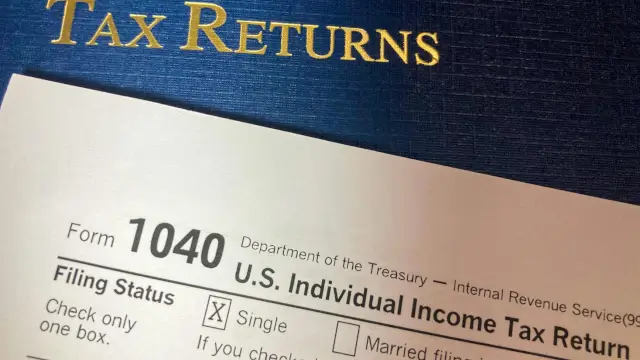
AI to File Your Taxes USA 2026 describes a support workflow, not a one-click replacement for tax preparation. AI can sort a document list, explain a form label, draft questions, or help check arithmetic. It may misunderstand a tax rule, omit a fact, or give an answer that sounds certain but is wrong for a taxpayer's circumstances.
The Taxpayer Advocate Service says AI may assist with parts of the tax preparation process, but taxpayers should not rely solely on AI-generated responses for complex tax questions. It also says taxpayers remain responsible for information reported on their returns. That warning should guide every tool choice.
Start with the official IRS Free File information and the Taxpayer Advocate Service guidance on AI-generated tax advice. I am an AI, not a tax professional. Verify anything consequential with a CPA or tax professional before filing.
What You'll Learn
- Which tax tasks AI can support without becoming the filing authority.
- How to start with current IRS instructions and trusted filing routes.
- How to review data, calculations, deductions, privacy, and final submission.
- When a CPA or tax professional should review a return before filing.
What Can AI Do for a US Tax Return?
AI can help create a document checklist, classify receipts, explain plain-language meanings of form labels, identify missing questions, compare two versions of a calculation, and organise information that a taxpayer has already verified. These tasks are useful when the source documents remain visible and the taxpayer can check the result.
AI should not be treated as the authority for tax law, eligibility, filing status, basis, residency, business deductions, foreign income, cryptocurrency, amended returns, or any issue with facts that are not fully stated. The correct answer may depend on details a chatbot does not know.
Use an AI tool to prepare a review pack. Keep the original document, the question asked, the answer received, the source checked, and the final decision. This creates a record of what was verified rather than a record of what the tool guessed. Our AI model guide applies the same principle of recording model and source context.
What IRS Filing Facts Apply to 2026?
The IRS Free File page reviewed for this article says taxpayers with adjusted gross income of $89,000 or less should review each trusted partner's offer to confirm eligibility for a free federal return. It says some partners may include a free state return while others may charge. The page also says that users leave IRS.gov after selecting an offer.
An IRS tax tips page for April 2026 lists April 15, 2026 as the filing and payment deadline for most 2025 federal tax returns. Filing rules and dates can differ by taxpayer, disaster relief notice, extension, state, and tax year. Open the current IRS page for the year being filed.
| IRS item | Fact on the reviewed page | How to use it |
|---|---|---|
| Free File income reference | AGI of $89,000 or less | Review each partner offer to confirm eligibility |
| Federal return deadline | April 15, 2026 for most 2025 federal returns | Check the current IRS year-specific instructions |
| State return | Some trusted partners may charge for a state return | Read the selected offer before proceeding |
| Trusted partner route | Users leave IRS.gov after selecting an offer | Confirm the partner and terms before entering data |
These are dated IRS page statements reviewed on August 21, 2026. They are not a substitute for a later IRS notice.
How Should You Choose a Filing Route?
First identify whether you need a federal return, a state return, or both. Then check whether your income, filing situation, and forms fit the current IRS Free File partner offer. A tool that advertises free preparation may still charge for a state return or an additional service.
Compare the official IRS route, a trusted tax software provider, and a qualified professional by the forms required, the level of review, the taxpayer's comfort, the privacy terms, and the consequences of an error. Do not select a route only because an AI assistant recommends it.
What Documents Should You Gather First?
Gather wage statements, interest and dividend records, brokerage statements, retirement distributions, education records, health coverage information where relevant, charitable contribution records, prior-year returns, and notices received from the IRS or a state authority. The exact documents depend on the taxpayer's facts.
Do not upload every document to an AI service by default. Make a list first. Remove information that is not needed for the question. Keep originals in a controlled location and record which document supports each figure entered into the return.
| Document group | AI support that may be useful | Human check |
|---|---|---|
| Income records | Create a list of forms and missing items | Confirm payer, tax year, and amounts against the original |
| Investment records | Organise transactions by account and date | Confirm basis, proceeds, fees, and reported form data |
| Expense records | Group receipts by a taxpayer-defined category | Check whether the expense is actually allowable |
| Prior return | Highlight fields that may need comparison | Confirm that facts did not change before copying anything |
| IRS notices | Summarise the requested response | Read the notice and follow the official instructions |
Our AI tool comparison guide explains why the source and task should be recorded before relying on a tool.
How Can AI Help Organise Tax Information?
Give the tool a narrow task such as creating a checklist from a list of document names. Ask it to preserve the original form identifier and tax year. Do not ask it to infer missing income, invent an expense category, or decide eligibility from a partial description.
For a spreadsheet or receipt list, compare the AI-created categories with the original records. Check for duplicates, omitted lines, wrong years, and amounts copied into the wrong column. Keep the final working sheet separate from the raw records.
Use a question log for issues that require a professional or IRS source. For example, write the exact fact pattern, the form involved, the source checked, and the point that remains uncertain. This is safer than treating a long chatbot conversation as the final authority.
How Should Form 1040 Information Be Reviewed?
Use the current Form 1040 instructions and the forms linked from IRS.gov. An AI assistant may explain a label such as filing status, adjusted gross income, or withholding in simpler language. It should not choose the answer unless the taxpayer independently verifies the rule and the facts.
Review names, identification details, filing status, dependants, addresses, income lines, withholding, payments, bank details, and electronic-signature information carefully. A copied value can be numerically correct and still belong to the wrong year or form.
When the return includes self-employment, rental income, foreign accounts, digital assets, multiple states, an amended return, or a notice response, do not rely on a general chatbot explanation alone. Ask a tax professional or use the relevant IRS instructions.
How Can AI Assist With Deductions and Credits?
AI can turn a taxpayer's questions into a checklist of IRS pages and forms to read. It can also compare a supplied explanation with the wording of an official instruction. It cannot establish eligibility from a short prompt when the rule depends on records, dates, relationship tests, income limits, residency, or use of an asset.
Never ask an AI tool to create deductions or credits that are not supported by records. Do not treat a generated list as proof that a tax benefit applies. Save the source page, the applicable form instructions, and the documents supporting the final entry.
Our PPF, SIP, and FD comparison is about Indian financial products, not US tax law. It is included only as a reminder that product and jurisdiction must be identified before applying a financial explanation.
How Should Tax Calculations Be Verified?
Break every important calculation into inputs, formula, result, and source. Check totals against the original forms. If an AI tool produces a different amount from tax software or a spreadsheet, do not choose the larger refund or smaller balance automatically. Find the reason for the difference.
| Calculation check | What to compare | Escalate when |
|---|---|---|
| Income total | Each source form and the corresponding return line | A form is missing or duplicated |
| Withholding | Employer or payer records and the return entry | The amount or tax year does not match |
| Investment result | Statements, basis records, proceeds, and transaction dates | Basis or holding facts are unclear |
| Deduction or credit | Eligibility rule, form instruction, and supporting record | The answer depends on a complex fact pattern |
| Final result | Software output, taxpayer records, and review notes | Two methods produce unexplained results |
Use calculator software only after the inputs are verified. A correct formula cannot repair an incorrect input.
How Does IRS Free File Fit Into the Workflow?
Open IRS.gov directly and read the current Free File page. The reviewed page says the income reference is AGI of $89,000 or less and tells taxpayers to review each trusted partner's offer. The offer may differ by federal and state filing, forms, or other conditions.
After choosing a partner, read the price and eligibility details before entering taxpayer information. Confirm that the web address is correct and that you have not reached the provider through an unsolicited message. The IRS page itself warns that you leave IRS.gov after selecting an offer.
Do not allow an AI assistant to enter a taxpayer identification number, bank account, or tax return into a website unless the taxpayer has checked the site, the provider, the account, and the information flow.
What Privacy and Security Controls Are Needed?
Tax records contain identity, income, account, address, and family information. Before using an AI service, review data retention, training use, account access, deletion, file storage, and third-party integration terms. Redact identification numbers, bank details, signatures, and unnecessary personal data from a question.
Use a unique password and multi-factor authentication where available. Do not share an IRS account code, identity-verification response, tax software login, or bank credential with a chatbot. Avoid uploading a complete return when a redacted excerpt answers the question. Our AI agent workflow guide also explains why tools with more access need stronger permission controls.
| Privacy risk | Warning sign | Control |
|---|---|---|
| Identity exposure | Taxpayer identification or bank data is pasted into chat | Redact unnecessary identifiers before asking a question |
| Wrong account | A link arrives through an unsolicited message | Open IRS.gov or the provider site directly |
| Data retention | File storage and deletion terms are unclear | Read current provider privacy terms and use less data |
| Account takeover | A request asks for a code or password | Never share credentials or one-time codes |
| Unverified output | A chatbot states a complex answer without a source | Check IRS instructions or ask a professional |
Our AI tools by workflow guide also treats provider settings as part of tool selection, not as a minor detail.
When Should You Use a Tax Professional?
Consider a CPA, enrolled agent, tax attorney, or another qualified professional when the return includes facts you cannot interpret, large or unusual transactions, multiple jurisdictions, a business, rental activity, foreign information, digital assets, an audit, an amended return, an IRS notice, or a dispute.
A professional should receive the actual records, not only an AI-generated summary. Tell the professional which tools were used and which calculations remain uncertain. If a filing deadline is close, ask about the correct extension or payment process rather than guessing from a chatbot answer.
The Taxpayer Advocate Service says taxpayers should review information carefully, verify calculations, and seek qualified assistance when needed. Its guidance is a reason to use AI as a preparation aid while keeping the final responsibility with the taxpayer and reviewer.
Conclusion: Treat AI as a Review Assistant
AI can help with organisation, explanations, checklists, and arithmetic review, but it is not the source of tax law and cannot see facts that a taxpayer has not supplied. The safest workflow begins at IRS.gov, checks the current filing year, protects personal information, verifies each important entry, and escalates complex issues to a qualified tax professional.
The IRS Free File page and April 2026 tax tips reviewed here are dated sources. The Taxpayer Advocate Service warns against relying solely on AI-generated answers for complex tax questions. Use those boundaries to decide what the tool may assist with and what must be checked before a return is filed.
Frequently Asked Questions

SK Jabedul Haque
Building India's most trusted finance education platform — simplifying news, schemes and market trends so anyone can understand and invest confidently.
Read full bio


Never miss an update
Get our clearest explainers on schemes, markets and money — read what matters, without the noise.
Explore more articles